
Analytics
Know your numbers: what sells, when, and who sold it.
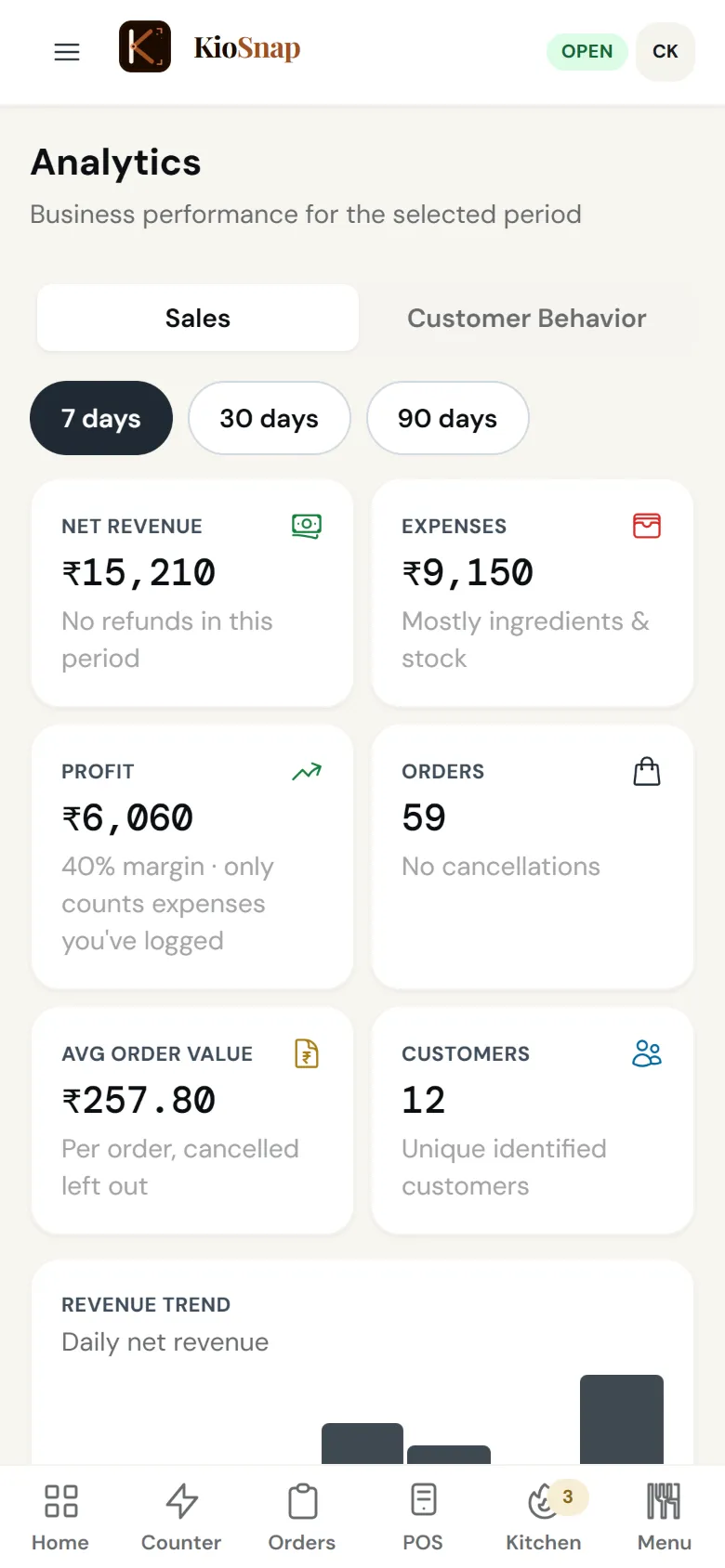
KioSnap's analytics show revenue, profit, average order value, best sellers, peak hours and sales by staff, for the period you pick, alongside how many people opened your storefront and what they searched for. Sales numbers come with order management on the Charcoal plan and up; storefront visits and searches work on every plan.
Updated 7 Oct 2026
How it works
- 1
Sell as usual
Every order and bill feeds the numbers.
- 2
Open Analytics
Pick the period you want to see.
- 3
Act on it
Make more of what sells, staff up for peak hours, drop what does not move.
Who it's for
- Café or restaurant
- Bakery or home kitchen
- Salon or service
- Shop or home brand
- Makers and more
What it costs
Starts on Charcoal at ₹299 a month, after a 14-day free trial, with ₹199 once on your first paid month. No commission on any order.
See every planAnalytics
Quick answers before you start
Sales report kaise dekhe?
Open Analytics in your dashboard or the app and pick a period. Revenue, best sellers and peak hours are there.
Can I see profit?
Yes. Revenue minus the expenses you log.
Can I see what customers searched for?
Yes. Storefront visits and searches are on every plan.
Can I see sales by staff?
Yes, every sale shows who made it.
Is there AI advice in it?
No. KioSnap shows your numbers clearly; it does not make decisions for you.
More questions? Read the full FAQ →
Try it on your own business.
Start free and set it up yourself, or WhatsApp us and we set it up with you.