
Table ordering
QR table ordering: guests order from their seat.
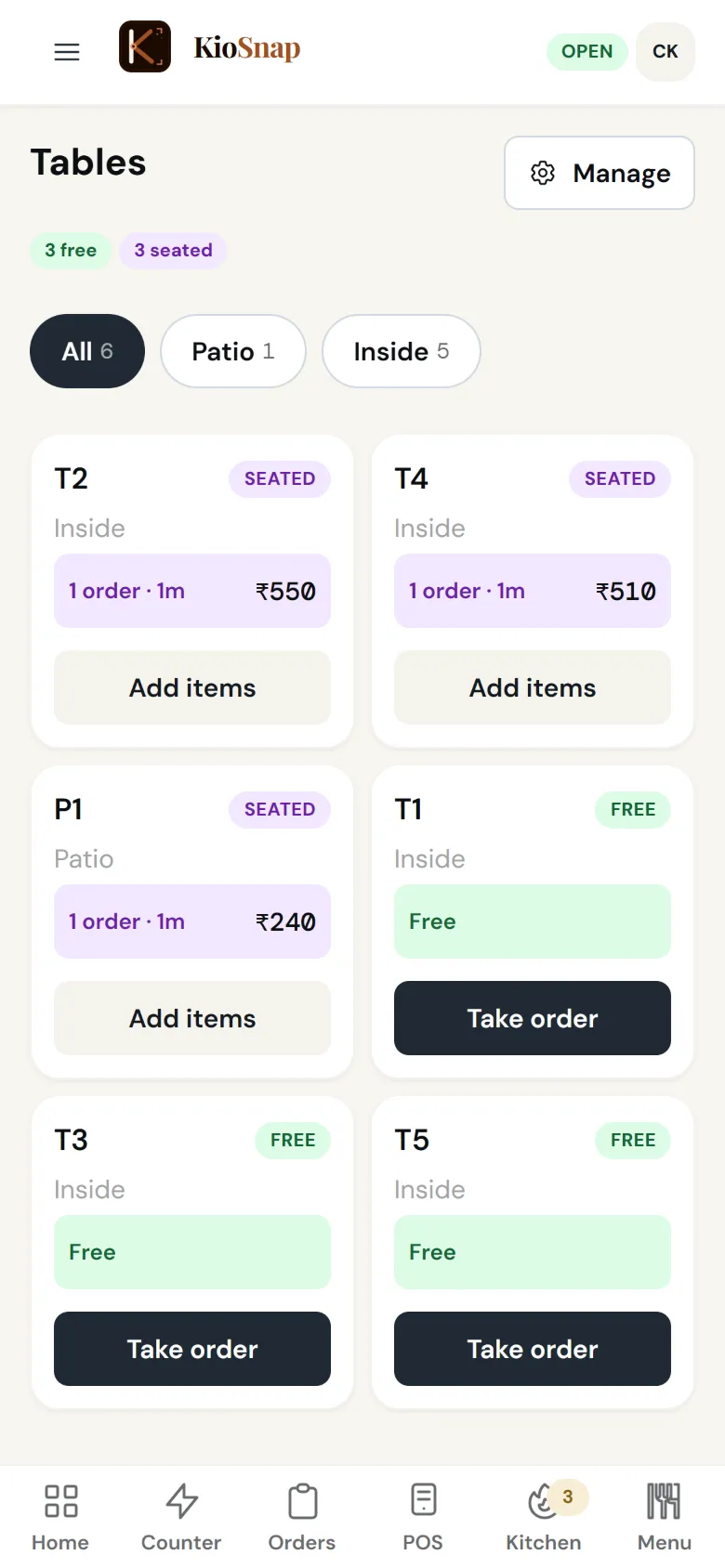
KioSnap's table ordering puts a QR on every table. Guests scan it and order from their own phone, every round lands on that table, and a table can hold several bills when friends pay separately. Guests can call for water or the bill, and captains send rounds from the table to the kitchen. Table ordering is for food businesses on the Gas plan and up, after a 14-day free trial.
Updated 7 Oct 2026
How it works
- 1
Set up your tables
Add your tables and print a QR for each one.
- 2
Guests order from the seat
Every round goes to the kitchen and onto that table's bill.
- 3
Settle the table
One bill or several, paid by cash or UPI, and the table is free.
Who it's for
- Café or restaurant
What it costs
Starts on Gas at ₹599 a month, after a 14-day free trial, with ₹199 once on your first paid month. No commission on any order.
See every planTable ordering
Quick answers before you start
Table par QR se order kaise le?
Add your tables in KioSnap, print each table's QR, and guests order from their phones. Orders go to the kitchen and the table's bill.
Can friends pay separately?
Yes. A table can hold several bills, each settled on its own.
Can my captains take orders?
Yes. Captains log in with their own PIN and send rounds from the table. They do not handle money.
Which plan has tables?
Gas and Solar, for food businesses.
Do you take reservations?
No. KioSnap handles ordering and billing at the table, not table reservations.
More questions? Read the full FAQ →
Try it on your own business.
Start free and set it up yourself, or WhatsApp us and we set it up with you.