
QR menu
A QR menu your customers open on their own phone.
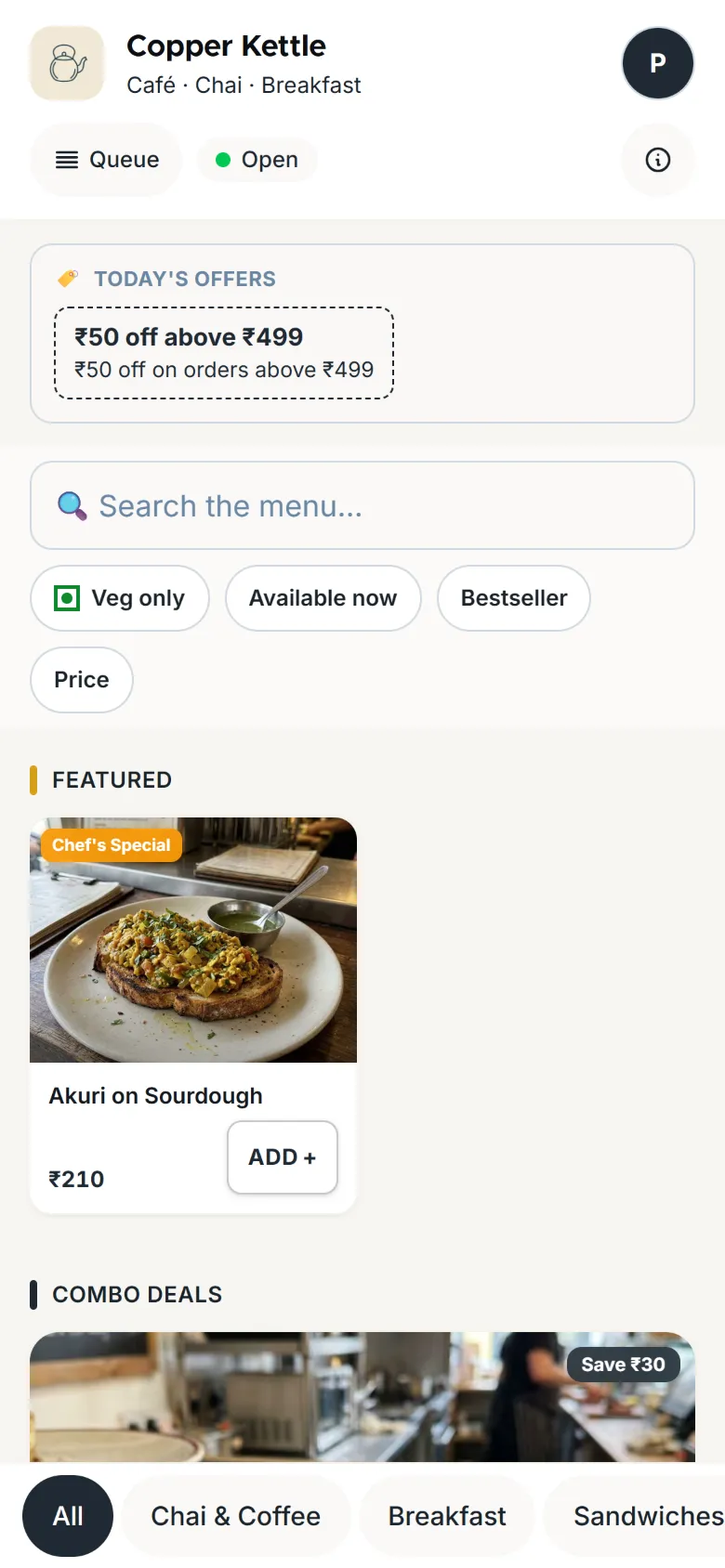
KioSnap's QR menu is your menu or catalog on your own kiosnap.store link, with photos, prices and today's offers, opened by scanning one QR code. Customers need no app. When you change a price, the menu updates within about a minute, and the printed QR never changes, even if you rename the shop. The QR menu is free on the Wood plan for up to 3 items; taking orders from it starts on Charcoal.
Updated 7 Oct 2026
How it works
- 1
Add your items
Type them in with prices, sizes and photos, or photograph your printed menu on a paid plan or the trial.
- 2
Print your QR
Download the QR poster for the counter or the tables, and share your link on WhatsApp and Instagram.
- 3
Customers scan and order
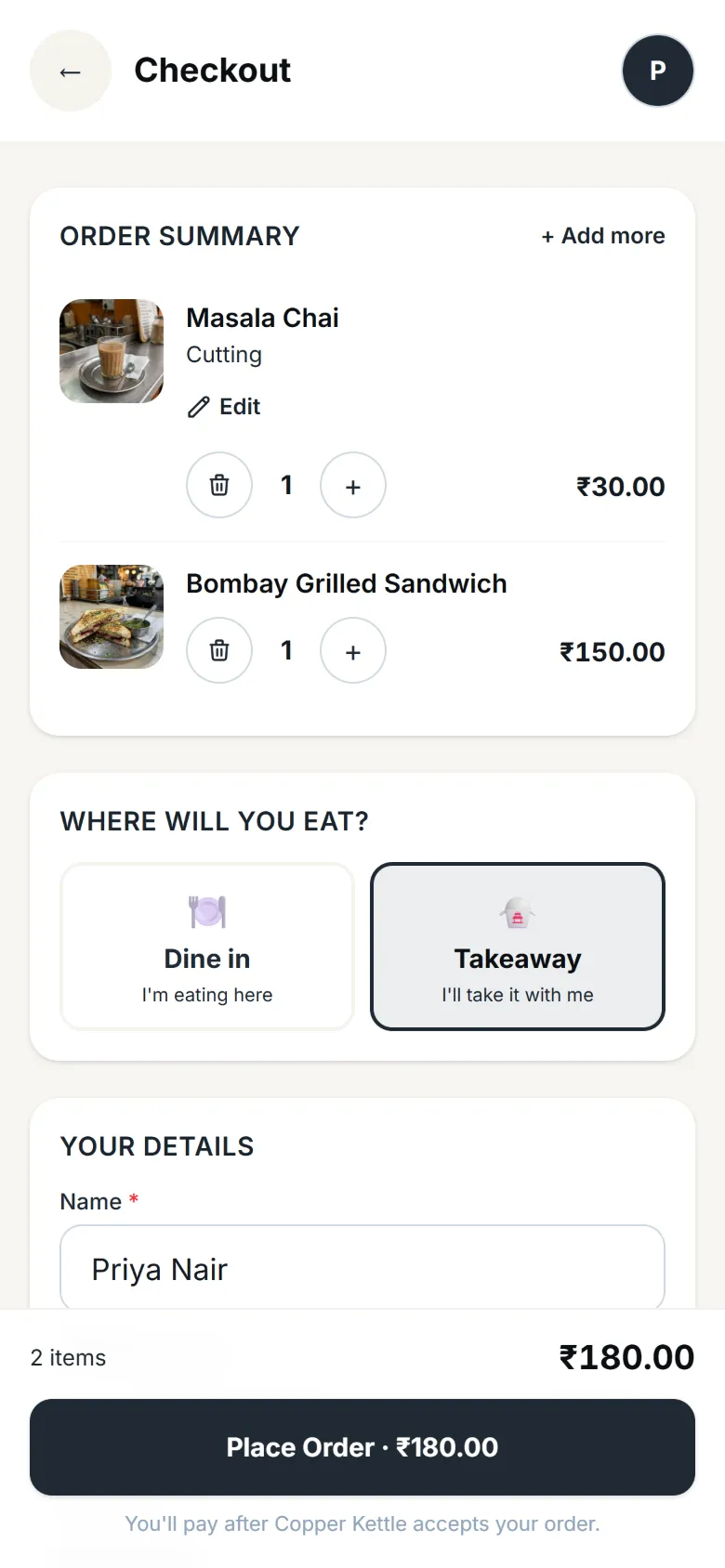
Your menu opens in their phone's browser. On Charcoal and up, they order from it too.
Who it's for
- Café or restaurant
- Bakery or home kitchen
- Salon or service
- Shop or home brand
- Makers and more
Set it up, step by step
Download your QR code & share your store link
Get your printable QR code and your kiosnap.store link in front of customers: on the counter, on packaging, on WhatsApp.
Read the guide Video
VideoAdd a menu item manually
Create an item with a name, price, photos and labels. It goes live on your storefront within about a minute of saving.
Watch and read Video
VideoScan your menu with AI
Photograph your printed menu or price list and AI builds your digital menu (items, prices, categories and options) in about a minute.
Watch and readAvailable on Charcoal and above
QR menu
Quick answers before you start
QR menu kaise banaye?
Sign up with your mobile, add your items with prices, and download your QR poster from the dashboard. It takes one sitting.
Is the QR menu free?
Yes, on the Wood plan, for up to 3 items in 1 category. Bigger menus and ordering start on Charcoal, after a 14-day free trial.
Do I have to reprint the QR when prices change?
No. The QR points to your storefront, so a change shows within about a minute and the same printed QR keeps working.
Can customers order from the QR menu?
Yes, from the Charcoal plan. On Wood the menu is for browsing.
Digital menu card ya PDF menu, kya better hai?
A PDF goes out of date the day a price changes. A KioSnap menu is always current, has photos, and can take orders.
More questions? Read the full FAQ →
Try it on your own business.
Start free and set it up yourself, or WhatsApp us and we set it up with you.