
Get your shop on Google, with your menu link.
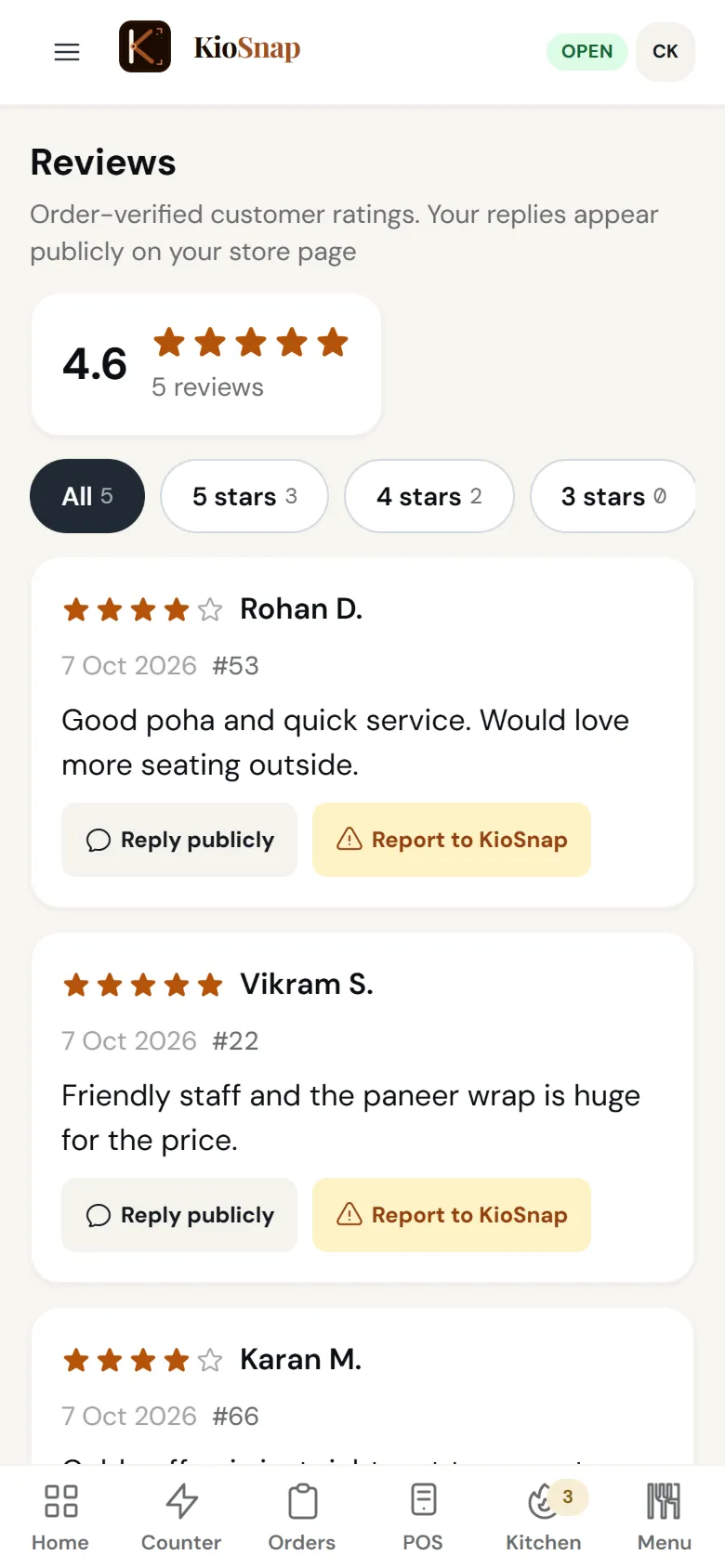
KioSnap walks you through setting up your Google Business Profile with your store's details already filled in, and gives you a review link and a review QR to print, so happy customers leave reviews where new ones look. You add your kiosnap.store link to Google as your menu or website. It is on every plan.
Updated 7 Oct 2026
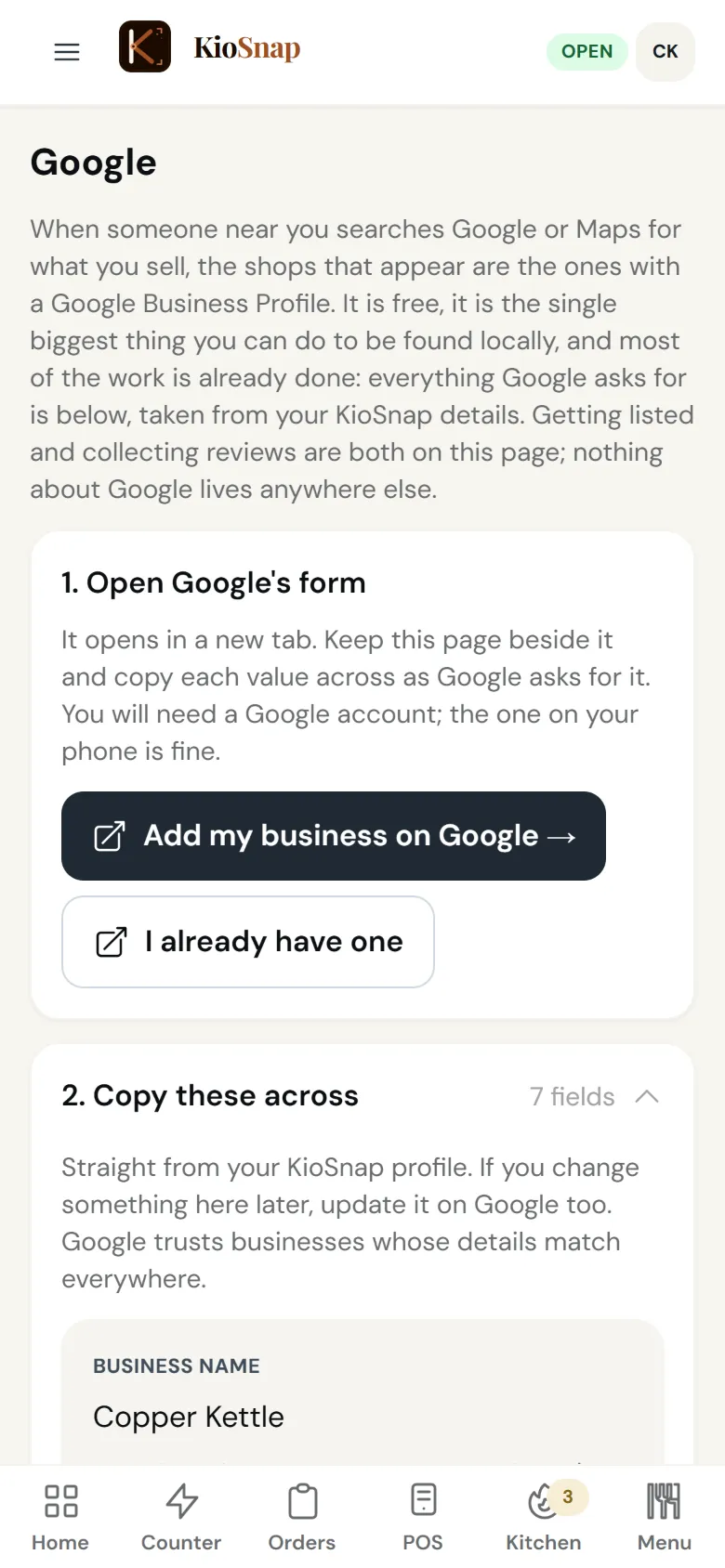
How it works
- 1
Open the guide
In Google, KioSnap lays out each step with your details ready to copy.
- 2
Add your link
Put your kiosnap.store link on your Google profile as your menu or website.
- 3
Ask for reviews
Print the review QR and share the review link after good orders.
Who it's for
- Café or restaurant
- Bakery or home kitchen
- Salon or service
- Shop or home brand
- Makers and more
Quick answers before you start
Google par apni dukan kaise dale?
Use the Google guide in KioSnap: it lays out each step of Google's form with your store's details ready to copy.
Does KioSnap list me on Google automatically?
No. You submit the profile to Google yourself; KioSnap prepares the details and tracks where you are.
Can customers order from Google?
If your plan takes orders, the kiosnap.store link you add opens your storefront, where they can order.
How do I get more reviews?
Print the review QR for your counter and share the review link after a good order.
Is it free?
Yes. The Google guide is on every plan.
More questions? Read the full FAQ →
Try it on your own business.
Start free and set it up yourself, or WhatsApp us and we set it up with you.