For food stalls
Run your food stall from your phone, without shouting token numbers.
KioSnap gives a food stall a QR menu customers order from on their own phone, an order board that rings until you answer, a POS for walk-ins and a day book that closes with the cash count. Customers watch their order move to ready, so nobody crowds the counter asking. Ordering, the POS and the day book start on the Charcoal plan after a 14-day free trial, with no commission.
Updated 7 Oct 2026
Follow one order
Order #33 at a café, on both phones.
Every screen here is real: a customer orders a chai and a sandwich, and the café runs it to the counter.
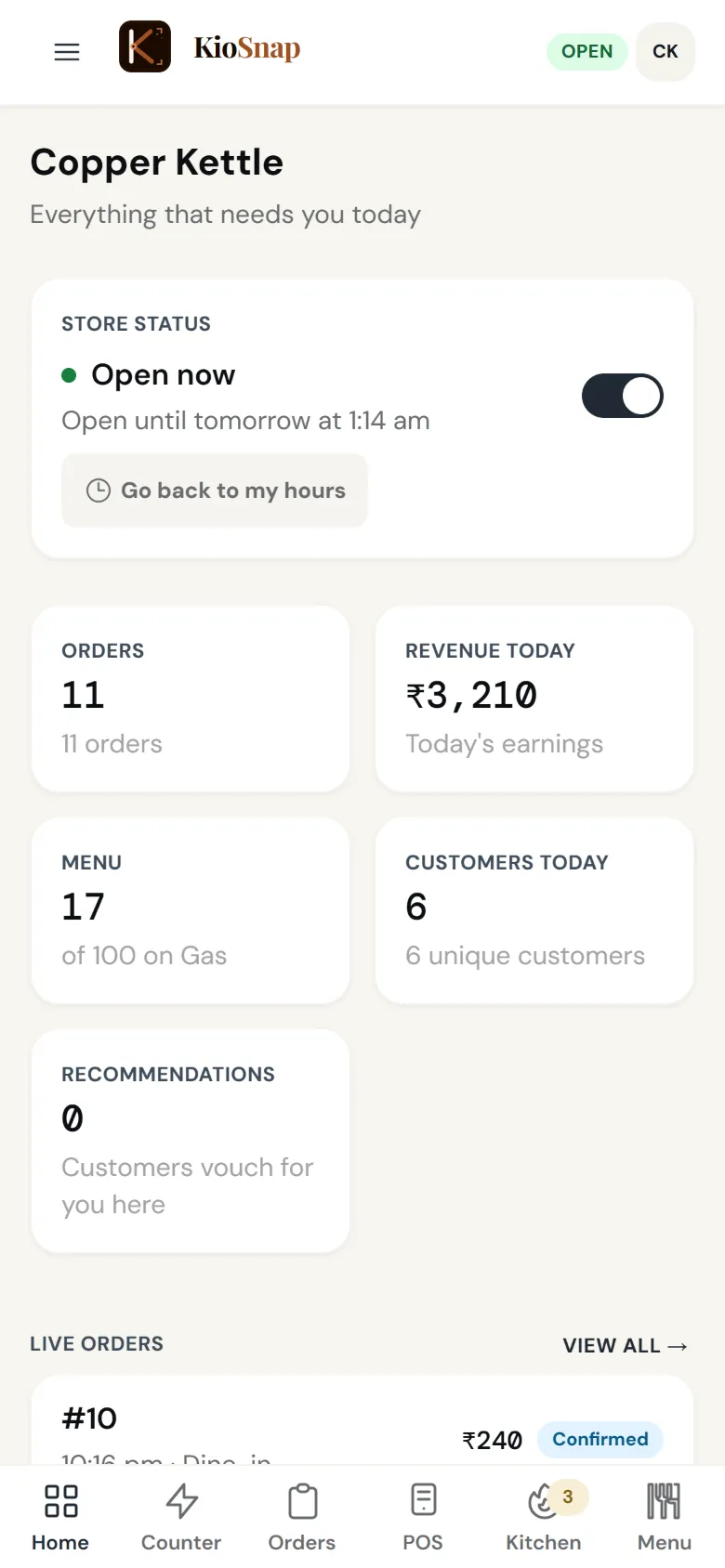
Real screens, captured 7 Oct 2026 from a KioSnap demo café
- Customer
Opens your menu
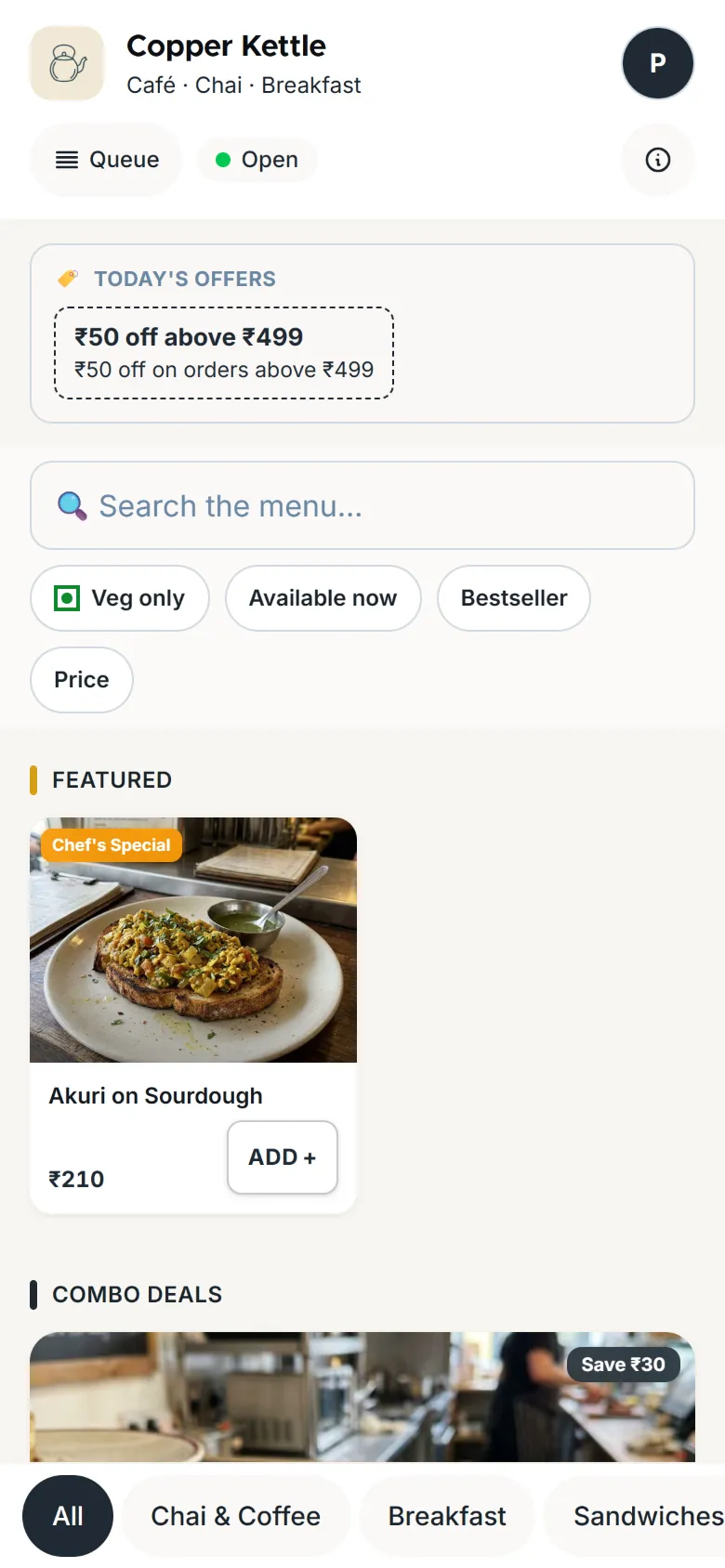
Priya scans the QR on the counter. Your menu opens in her phone's browser, with photos, prices and today's offer. Nothing to install.
- Customer
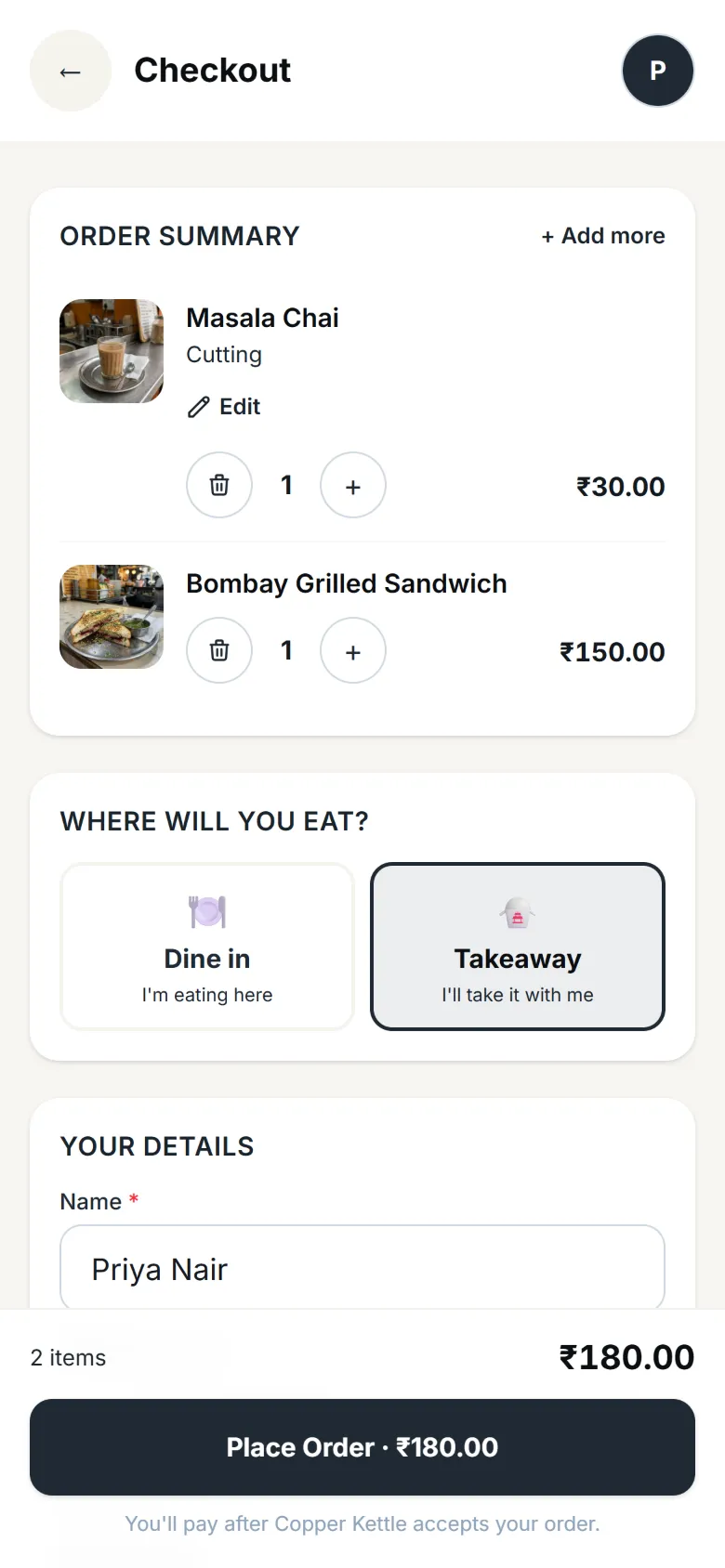
Orders in two taps
A cutting chai and a Bombay grilled sandwich. Her name and number are already filled in from her last visit.
- You
Your phone rings
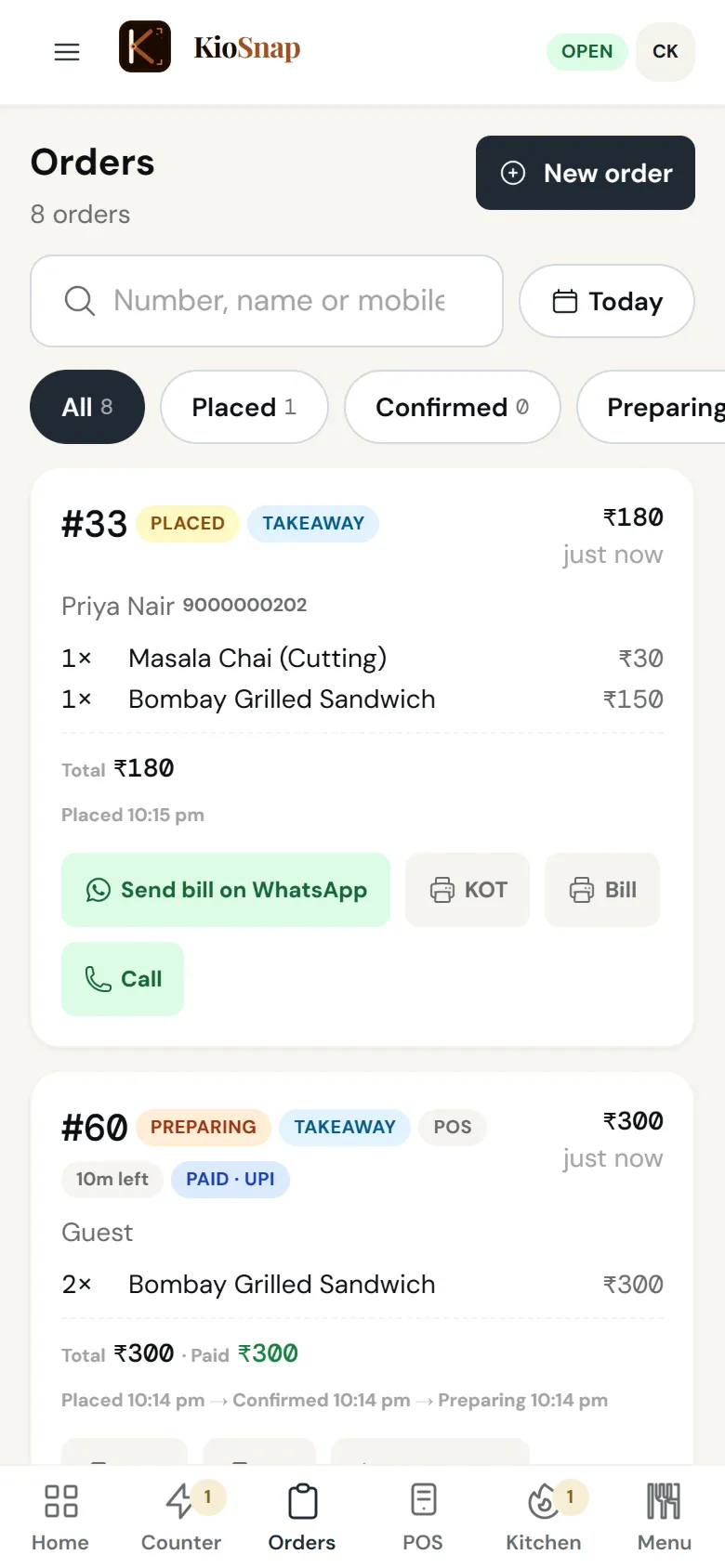
Order #33 lands on your phone and keeps ringing until someone answers. Priya is told to pay at the counter.
Taking orders: Charcoal and up - You
Paid, accepted, in the queue
She pays by UPI to your own QR and you accept. Her phone shows her place in the queue and roughly when it will be ready.
- You
The kitchen makes it
The kitchen screen lists what to make. One tap on Food ready when it is done.
Kitchen screen: Charcoal and up · food - Customer
Ready, without shouting a number
Her phone turns green: pick it up at the counter. Then it asks her to rate the order, so your reviews come from real orders.
- Happens on its own
Already in your books
The sale is in the day book as UPI. Cash in the drawer, expenses and the day's close are on the same screen.
Day book: Charcoal and up · food
What you get
Made for the way you work.
- Storefront and QREvery planYour own link on kiosnap.store with your menu or catalog, photos and prices, and one QR that keeps working even if you rename the shop. Changes show within about a minute.
- Live order boardCharcoal and upEvery order on one board that rings until someone answers, with the steps your kind of business uses: a live queue for food, delivery steps for products, bookings for services.
- Order tracking for customersCharcoal and upCustomers follow their order on their own phone, step by step, from a link they can reopen any time. Food shops can show the live queue too.
- POS at the counterCharcoal and up · foodBill walk-ins: tap items, add a custom item, take cash or UPI, and the bill is ready on screen and as a PDF.
- Day bookCharcoal and up · foodOpening cash, money in by cash and UPI, cash paid out, and the day closed against the count in the drawer.
- UPI to your own QRCharcoal and upCustomers pay your own UPI QR from their order page and tap I've paid; you confirm. KioSnap never touches the money.
Who it's for
- Chai and snack stalls
- Street food carts
- Juice and shake counters
- Food court counters
What it costs
Starts on Charcoal at ₹299 a month, after a 14-day free trial, with ₹199 once on your first paid month. No commission on any order.
See every planFor food stalls
Quick answers before you start
Do my customers need an app to order?
No. They scan your QR and your menu opens in their phone's browser. To order, they confirm their mobile once with a code, so every order on your board is a real one.
Can I take cash and UPI?
Yes. Cash at the counter, or UPI to your own QR: the customer taps I've paid and you confirm. KioSnap never touches the money.
Will it keep up in a rush?
Every order lands on one board in the order it came, ringing until someone accepts it, and each customer sees their place in the queue on their own phone.
Stall ke liye QR menu kaise banaye?
Sign up with your mobile, add your items with prices, and print the QR poster from your dashboard. Or WhatsApp us your menu and we set it up for you.
Does it work on my phone without internet?
The KioSnap Vendor app for Android keeps billing at the counter without internet and syncs when you are back online. Online orders need a connection.
More questions? Read the full FAQ →
Your stall, taking orders by tonight.
Sign up, add your items and stick the QR on the counter. Or WhatsApp us your menu.