
Online ordering
Take orders online from your own link, without commission.
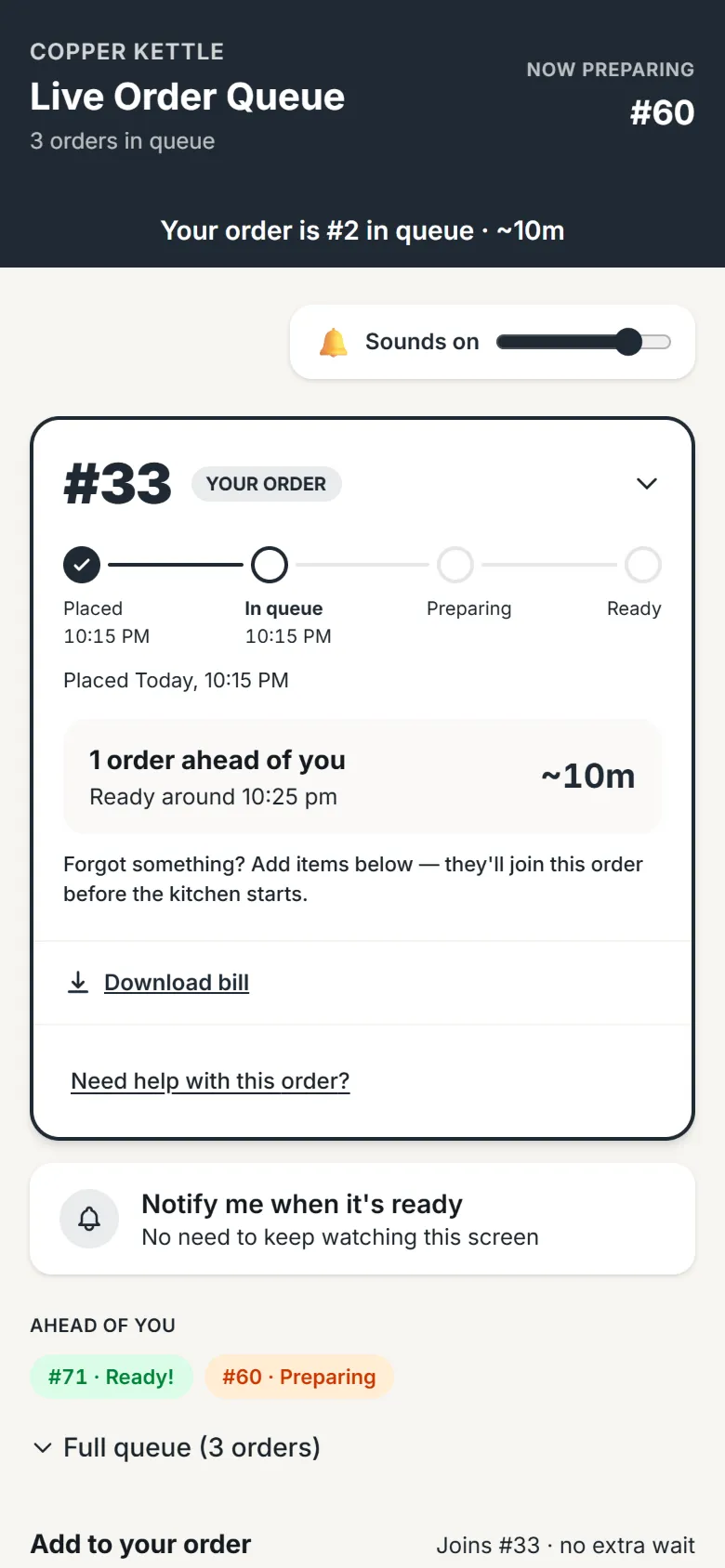
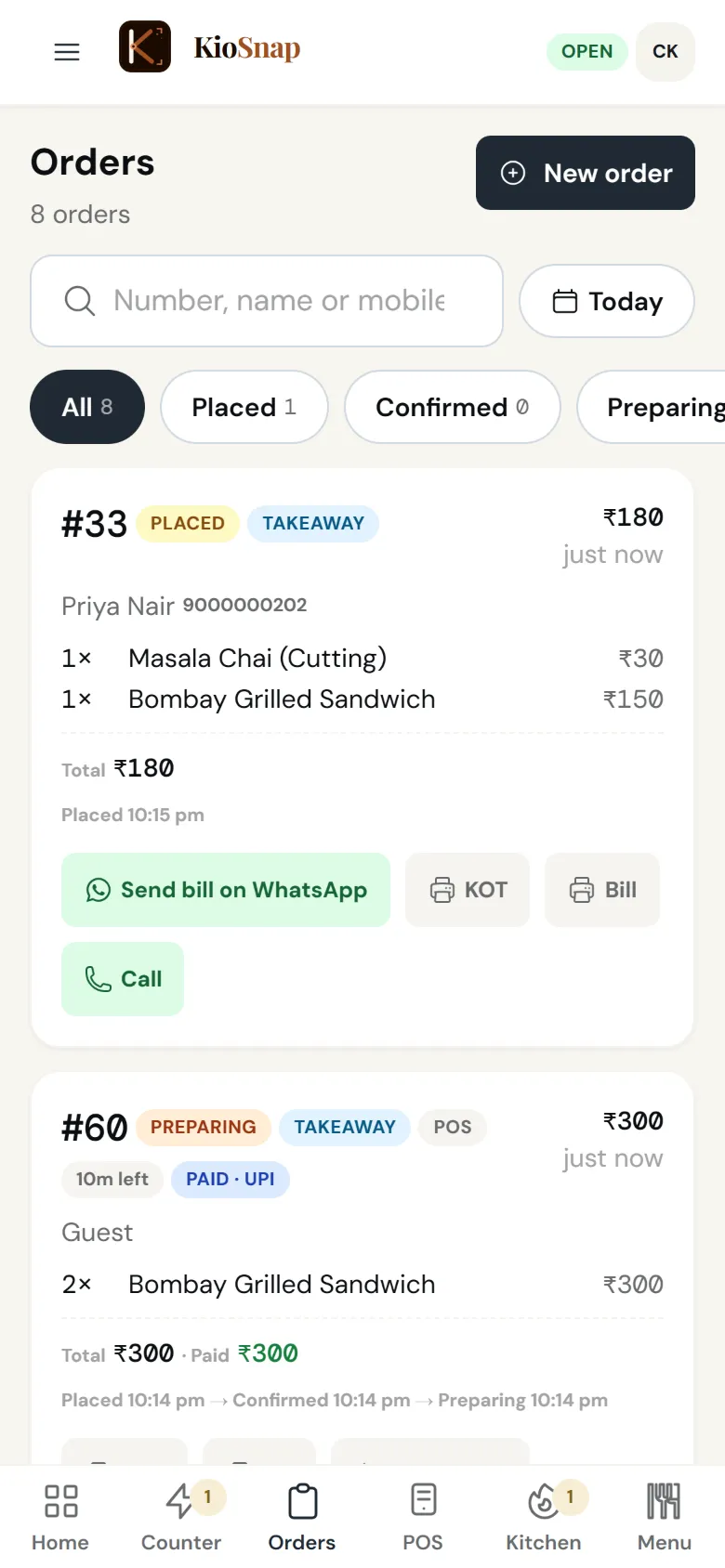
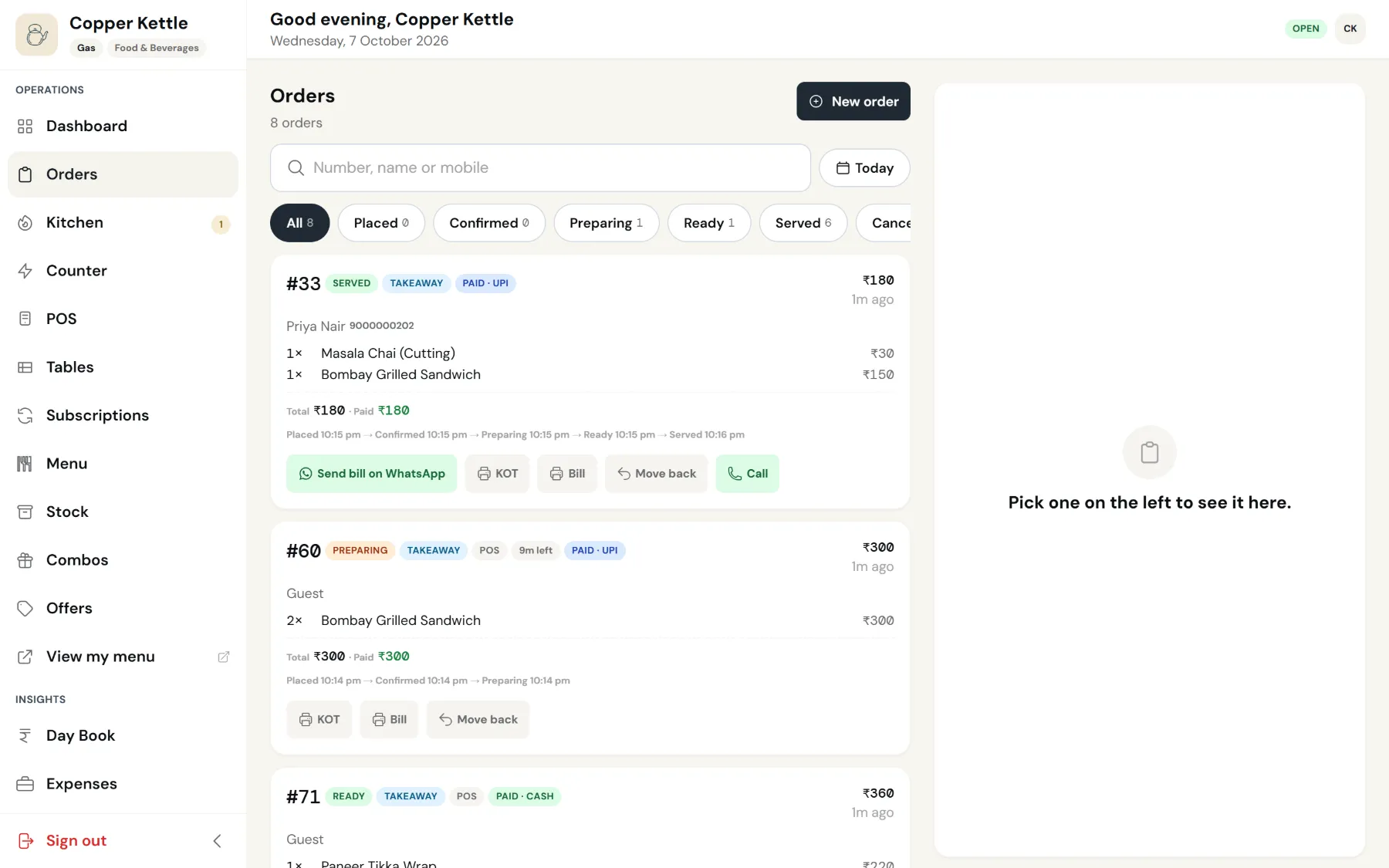
KioSnap's online ordering lets customers order from your storefront link or QR on their own phone, and every order lands on one board that rings until someone answers. Customers follow each step on their own phone. It works for food, bakeries, salons, shops and home brands, each with its own steps. Online ordering starts on the Charcoal plan after a 14-day free trial, with no commission on any order.
Updated 7 Oct 2026
How it works
- 1
Share your link
Put your QR on the counter and your link on WhatsApp, Instagram and Google.
- 2
The order rings
It lands on your board and keeps ringing until someone accepts it.
- 3
The customer follows it
Each step you tap shows on their phone, from accepted to ready or delivered.
Who it's for
- Café or restaurant
- Bakery or home kitchen
- Salon or service
- Shop or home brand
- Makers and more
What it costs
Starts on Charcoal at ₹299 a month, after a 14-day free trial, with ₹199 once on your first paid month. No commission on any order.
See every planSet it up, step by step
Run your live order board
The Counter board is where orders arrive, get accepted with payment, move through the kitchen and reach customers.
Read the guideAvailable on Charcoal and aboveNever miss an order: sounds, ringing & push
Set up alert sounds, ring-until-acknowledged, and push notifications on every device, so a new order is impossible to sleep through.
Read the guideAvailable on Charcoal and aboveDownload your QR code & share your store link
Get your printable QR code and your kiosnap.store link in front of customers: on the counter, on packaging, on WhatsApp.
Read the guide
Online ordering
Quick answers before you start
Online order kaise le?
Sign up, add your items, and share your KioSnap link or QR. Orders come to your phone with a sound until you answer.
Do you take a commission?
No. KioSnap charges a flat plan price and no commission on any order.
Can I take orders on WhatsApp without the DMs?
Yes. Share your storefront link on WhatsApp; customers order there instead of typing the order into your chat.
Do customers need an app?
No. They order in their phone's browser and confirm their mobile once with a code.
How do customers pay?
Cash, cash on delivery where you deliver, or UPI to your own QR. KioSnap never holds your money.
More questions? Read the full FAQ →
Try it on your own business.
Start free and set it up yourself, or WhatsApp us and we set it up with you.