
Day book and expenses
A cash book on your phone: the day's sales, expenses and profit.
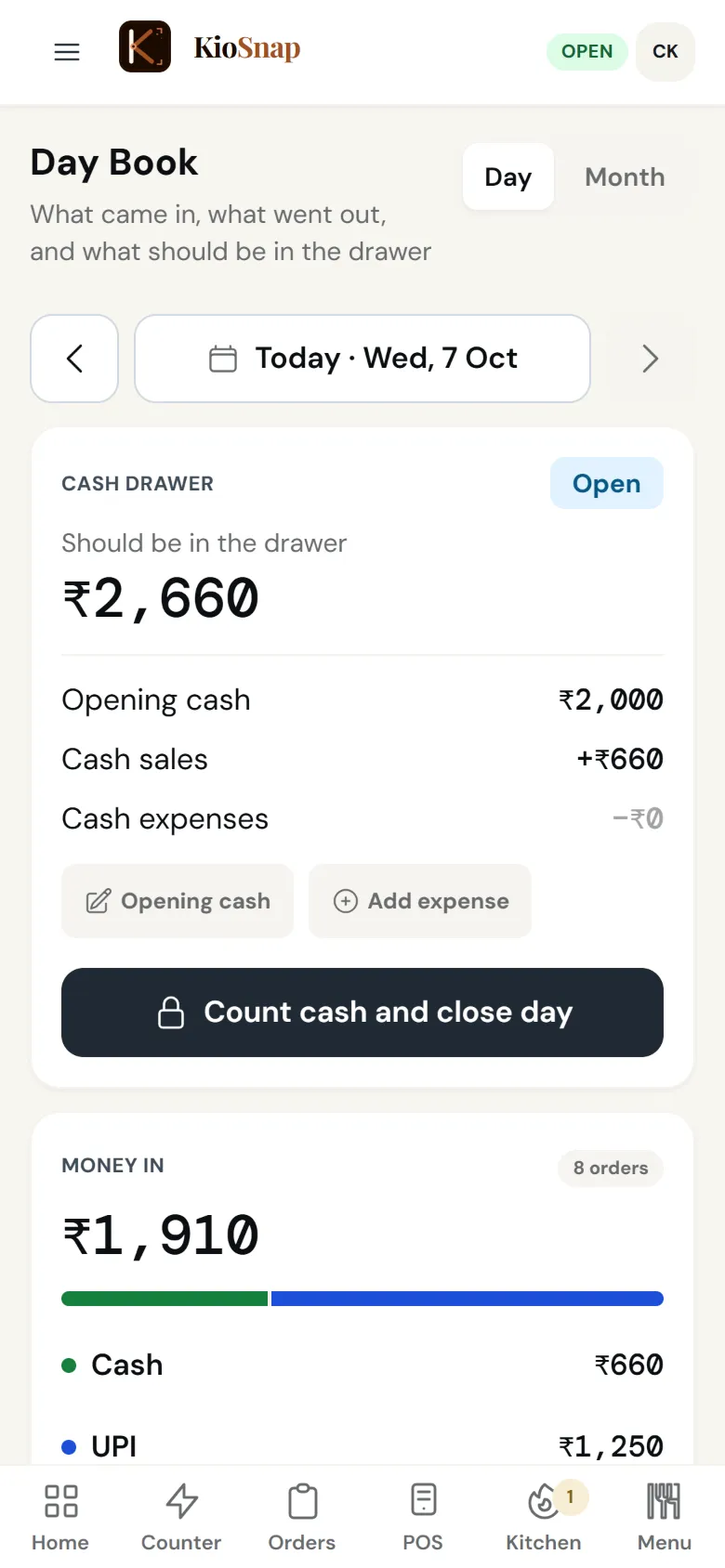
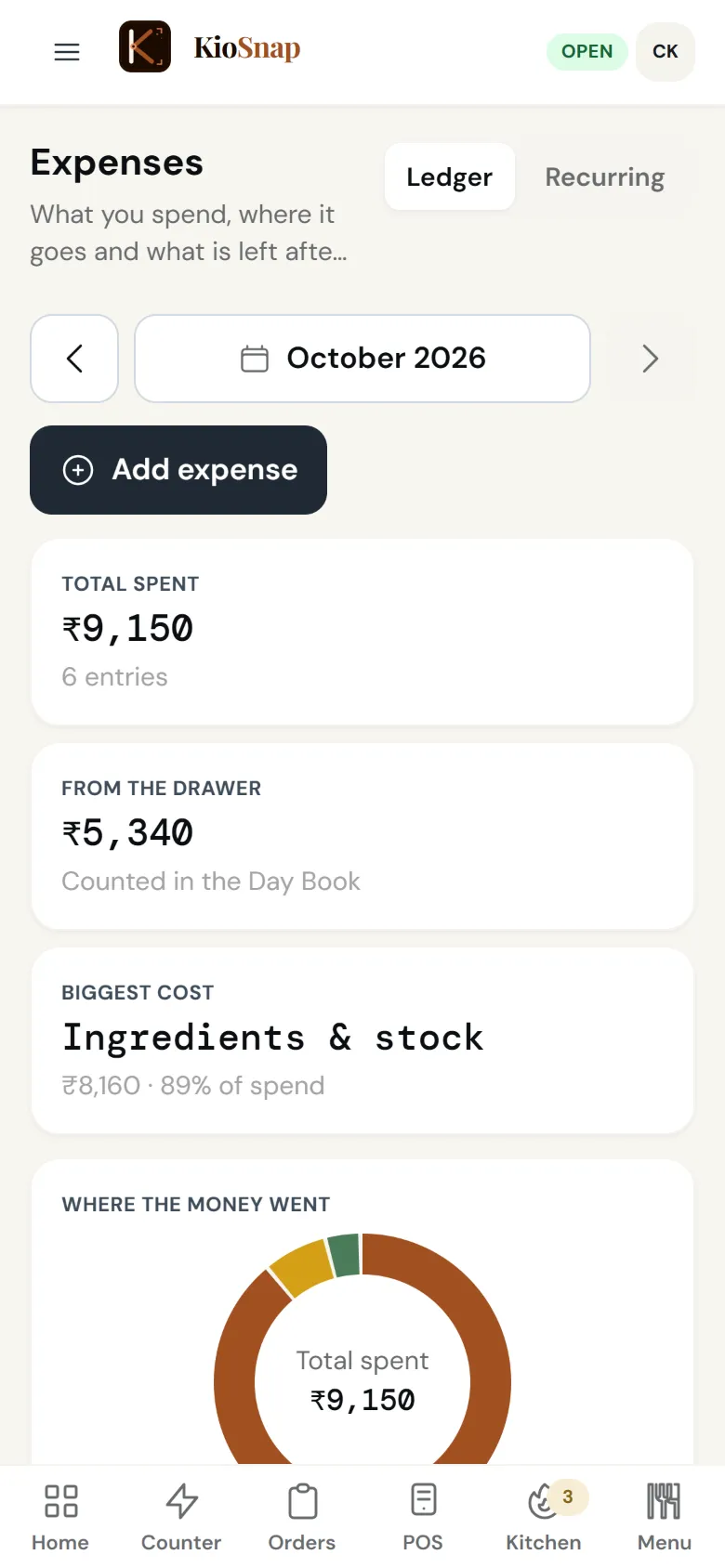
KioSnap keeps your day's money in one place: sales by cash and UPI as you sell, expenses as they happen, bills that repeat every week or month, and profit next to sales. Food businesses also get the day book, where you count the drawer and close the day against it. Expenses are on every plan for every business; sales, profit and the day book come with orders on Charcoal and up.
Updated 7 Oct 2026
How it works
- 1
Sales add up
Every order and bill is counted by how it was paid.
- 2
Log what goes out
Expenses as they happen, and repeating bills set once.
- 3
Close the day
See profit; food businesses count the drawer and close the day book.
Who it's for
- Café or restaurant
- Bakery or home kitchen
- Salon or service
- Shop or home brand
- Makers and more
Set it up, step by step
Close your day with the Day Book
Count the drawer, match it against what the system says, and lock the day's totals: cash reconciliation in two minutes.
Read the guideAvailable on Charcoal and aboveTrack expenses & see real profit
Log what you spend (or let recurring templates post rent and salaries automatically) and your analytics show profit, not just revenue.
Read the guide
Day book and expenses
Quick answers before you start
Rozmel ya cash book app kaunsa use kare?
KioSnap records sales and expenses as they happen and shows profit, so the day's book is already written when you close.
Can I track expenses on the free plan?
Yes. Expenses and repeating bills are on every plan.
Is the day book for every business?
The cash drawer close is for food businesses on Charcoal and up. Every business gets sales by payment mode, expenses and profit.
Does it show profit?
Yes. Revenue minus expenses, for the day, the week or longer.
Can my staff see the money?
Only if you give their role that permission.
More questions? Read the full FAQ →
Try it on your own business.
Start free and set it up yourself, or WhatsApp us and we set it up with you.