
Product
Everything KioSnap does, in one place.
Sell, run, know and grow: every part of KioSnap, with the plan it comes on and the businesses it is for. Real screens wherever we have them.
How it fits together
One order feeds everything.
Take an order once, from the QR, the counter or a WhatsApp message, and the rest of KioSnap already knows.
- The kitchen screen shows what to makeCharcoal and up · food
- It is counted in the day's cashCharcoal and up · food
- It comes off your stockEvery plan
- It joins that customer's historyCharcoal and up
- It feeds your sales numbersCharcoal and up
- It shows who made the saleCharcoal and up
Built with vendors
What shipped lately.
Real requests from the businesses on KioSnap decide what comes next.
Updated 7 Oct 2026
- Stock in its own placeCounts, waste and the day's leftovers, with forms that check themselves.
- Raw materials and purchasesSuppliers, purchases on credit, and an AI scan of the supplier's bill.
- Recipes and food costSales use up ingredients, and every item shows what it costs to make.
- Make this many, and reorderA suggested quantity from past sales, and a reorder list for WhatsApp.
- KioSnap Vendor app for AndroidOrder alarms on a locked screen and billing without internet. Free on Google Play.
- CustomersEvery regular in one list, with what they order and what they owe.
- Customer subscriptionsTiffin, milk, weekly boxes: standing orders that land on the board on schedule.
- Enquiries and quotesPrice-on-request items become an enquiry you quote and the customer accepts.
What comes next is decided by the businesses on KioSnap. Tell us on WhatsApp. WhatsApp
Sell
Your storefront, every way an order comes in, and getting paid.
Storefront and QR
Every plan
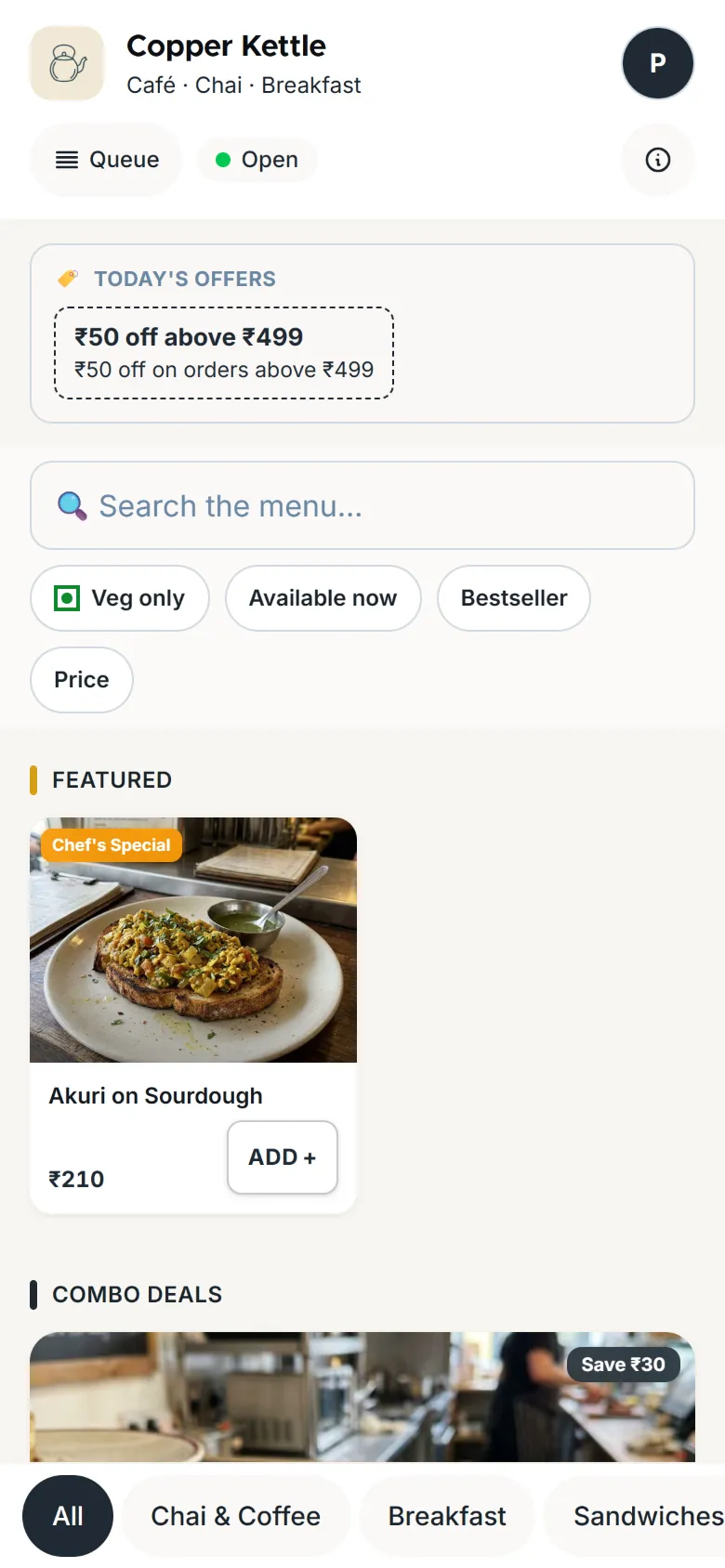
Your own link on kiosnap.store with your menu or catalog, photos and prices, and one QR that keeps working even if you rename the shop. Changes show within about a minute.
Learn moreMenu and catalog
Every plan
Sizes or variants with their own price and photos, add-ons and choices, and items marked limited or sold out. A day-wise menu and serving times on Gas and up.
Read the guide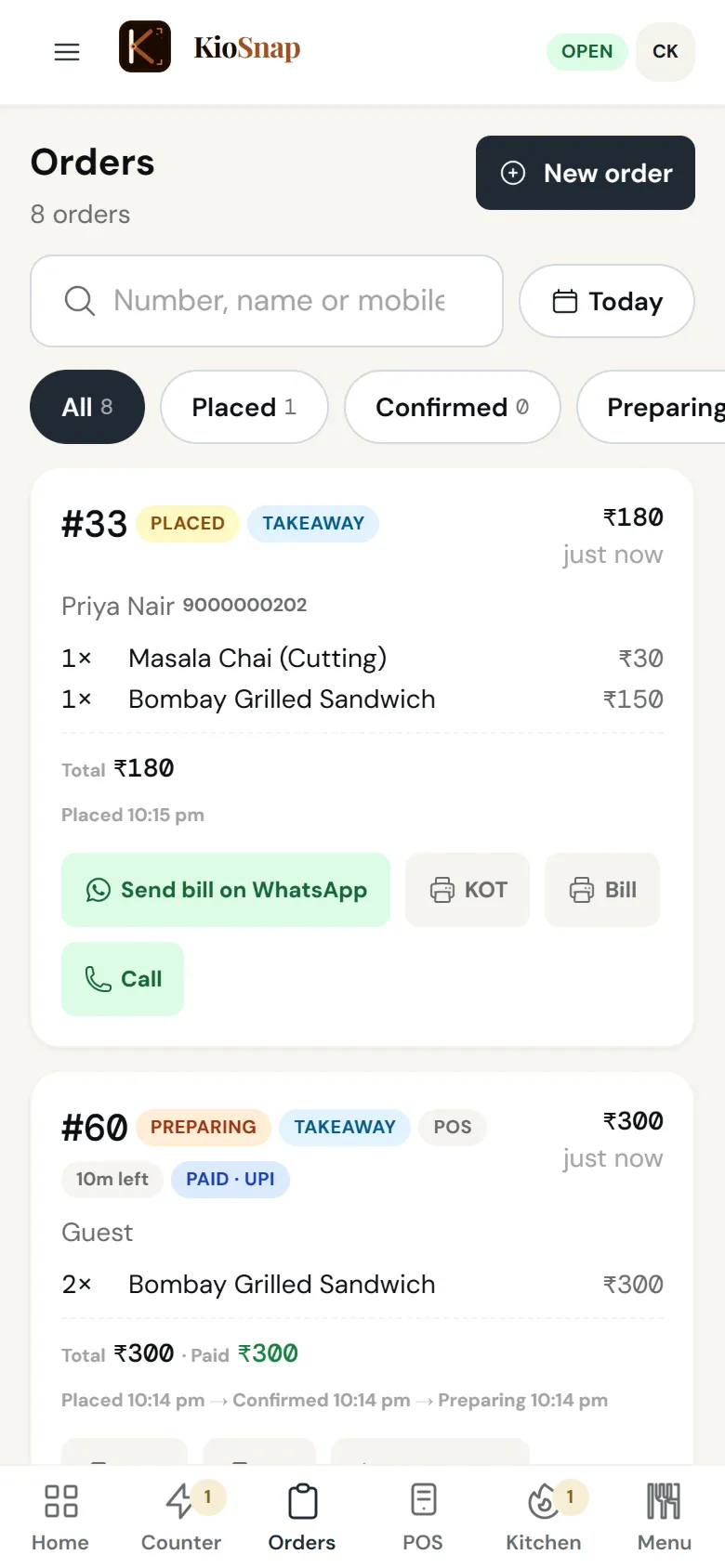
Live order board
Charcoal and up
Every order on one board that rings until someone answers, with the steps your kind of business uses: a live queue for food, delivery steps for products, bookings for services.
Learn more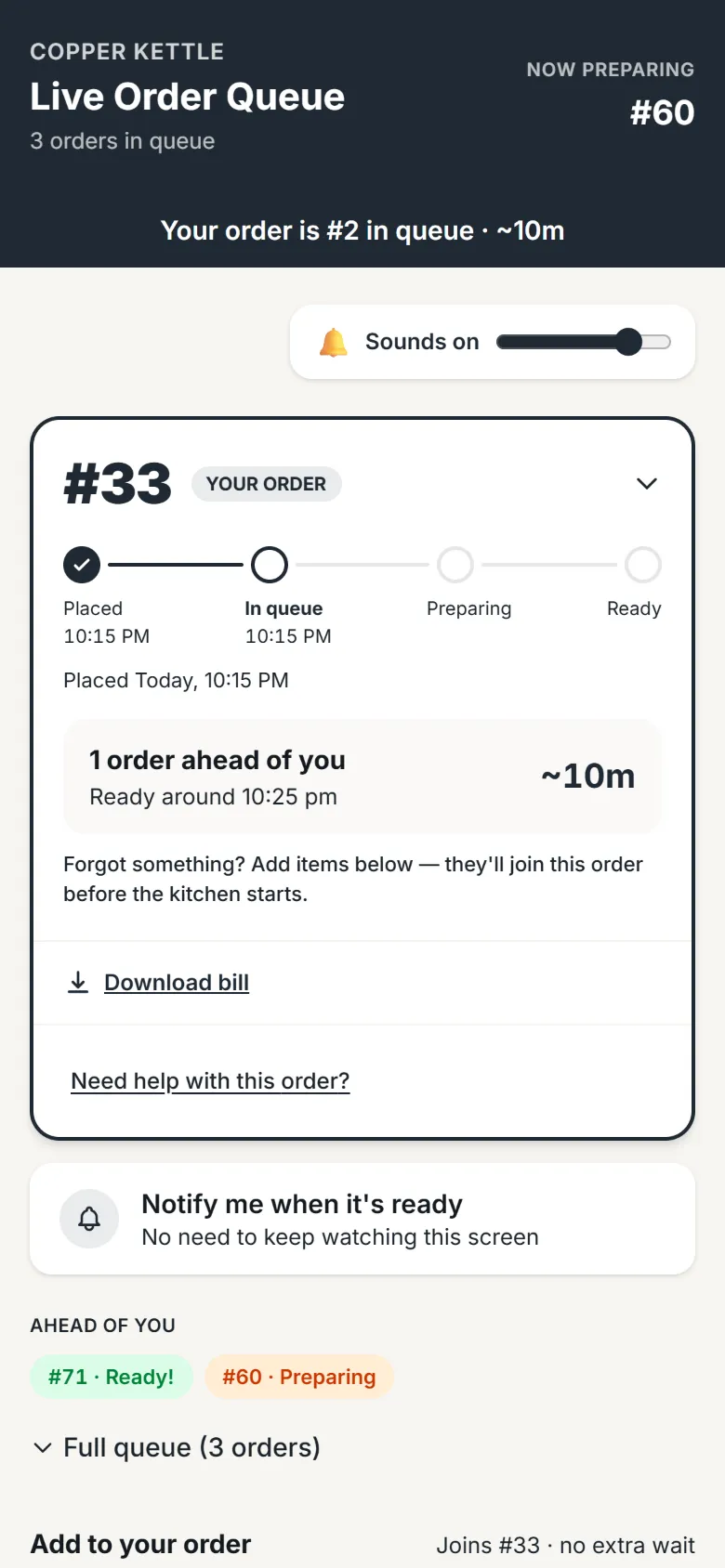
Order tracking for customers
Charcoal and up
Customers follow their order on their own phone, step by step, from a link they can reopen any time. Food shops can show the live queue too.
Learn more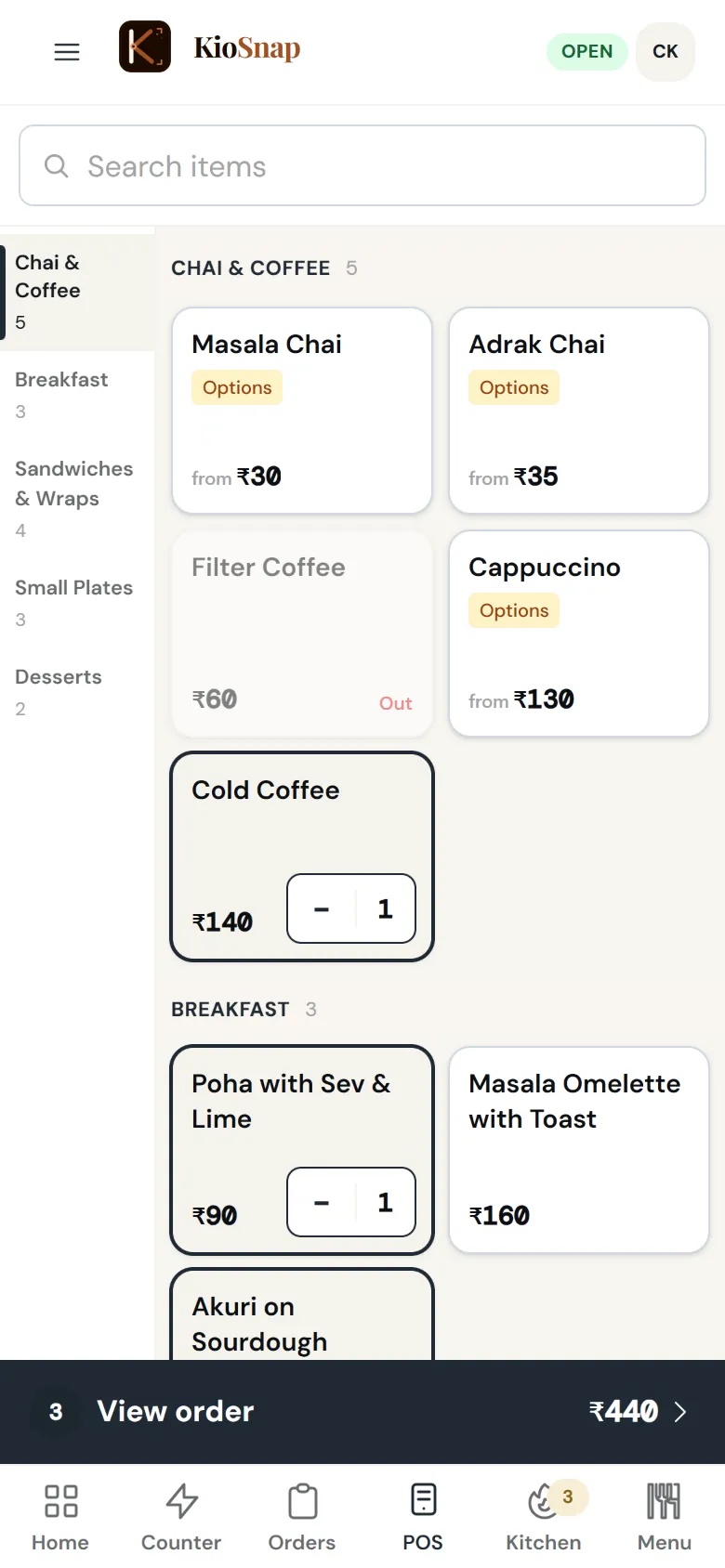
POS at the counter
Charcoal and up · food
Bill walk-ins: tap items, add a custom item, take cash or UPI, and the bill is ready on screen and as a PDF.
Learn more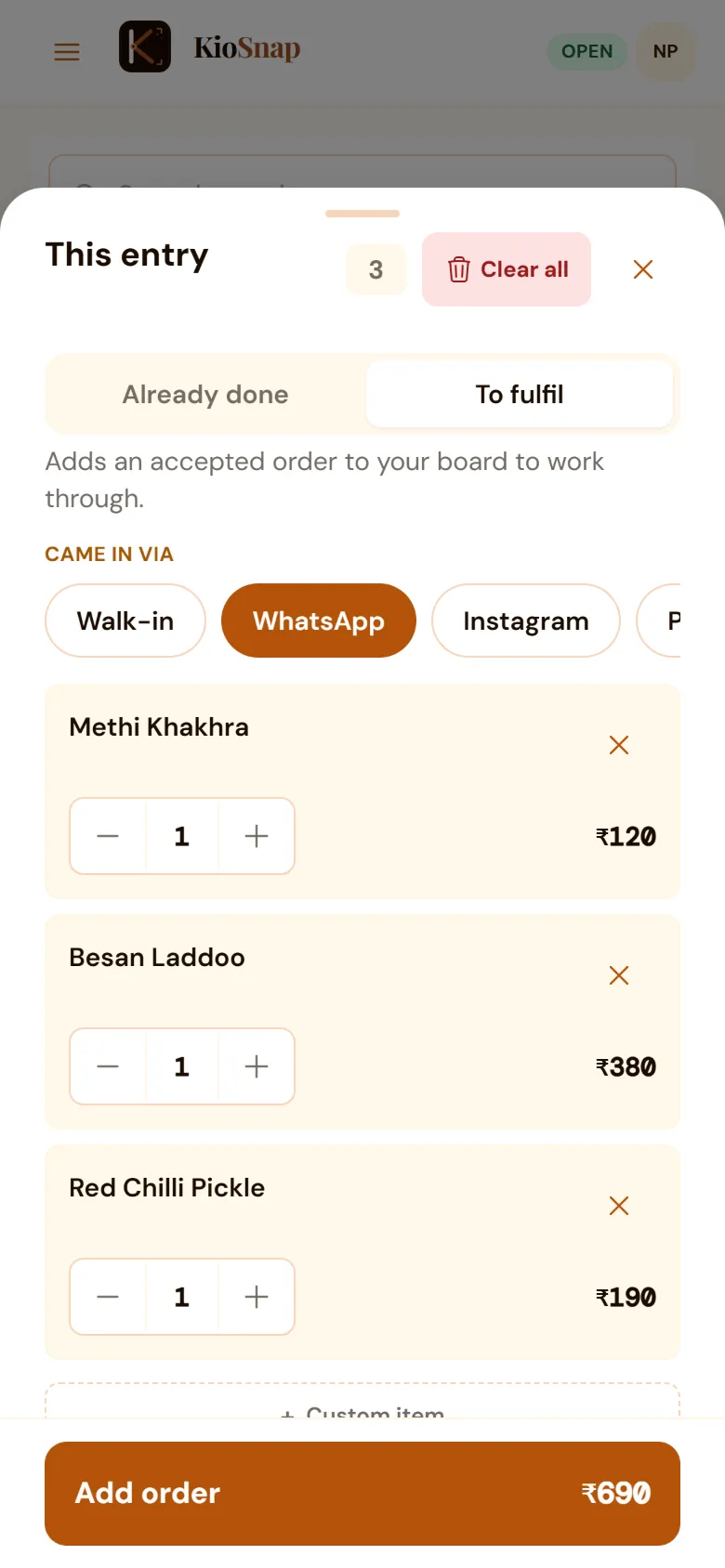
Orders from WhatsApp, calls and walk-ins
Charcoal and up · Bakeries, shops, home brands and services
Log the orders that come on WhatsApp, Instagram, a call or at the counter in a few taps, so every sale is in your books.
Learn moreSelf-order screen
Charcoal and up · food
Turn a tablet at the counter into a self-order screen. Only screens you pair can take orders.
Learn more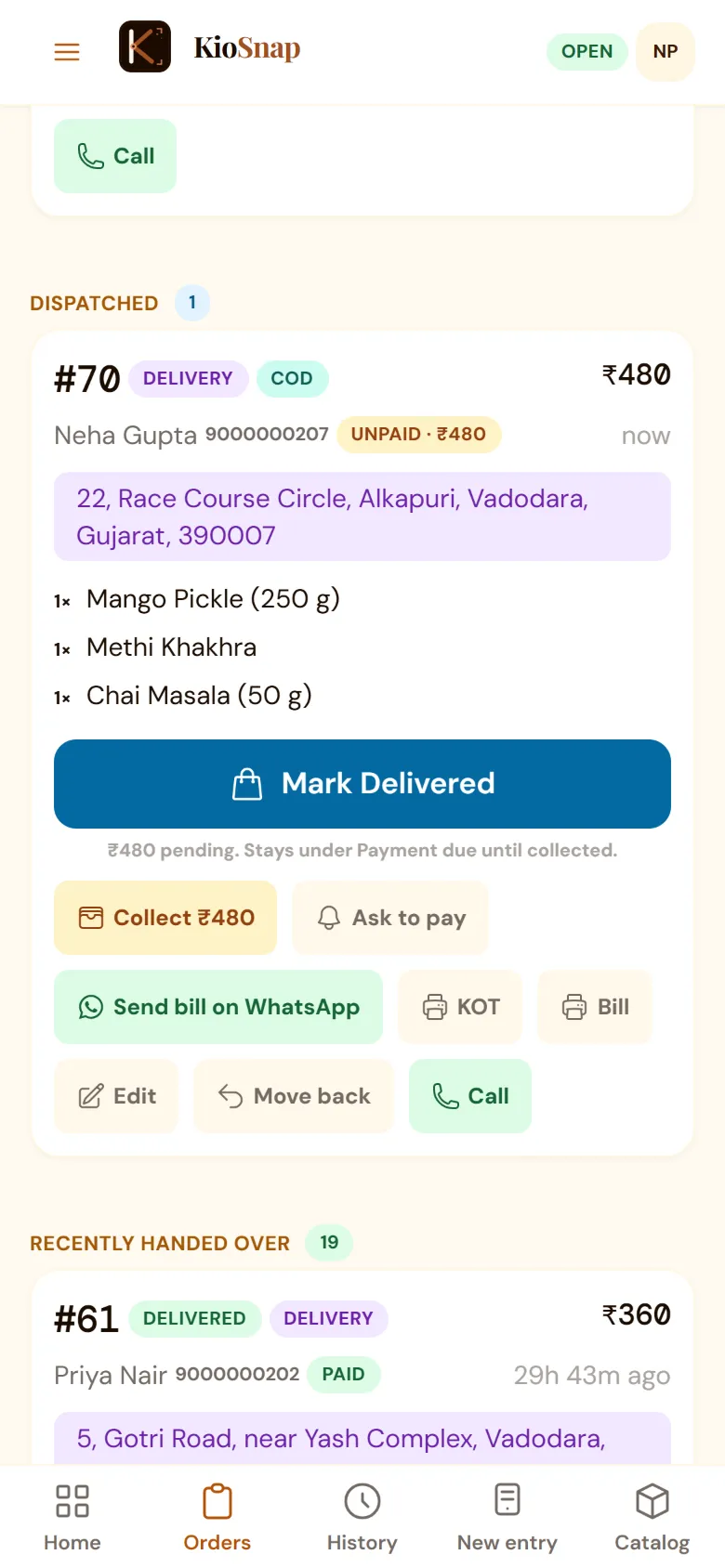
Delivery and cash on delivery
Charcoal and up · Bakeries, shops, home brands and services
Delivery areas with their own charges and a minimum order, cash on delivery or pay on pickup. Your own delivery, switched on when you are ready.
Learn more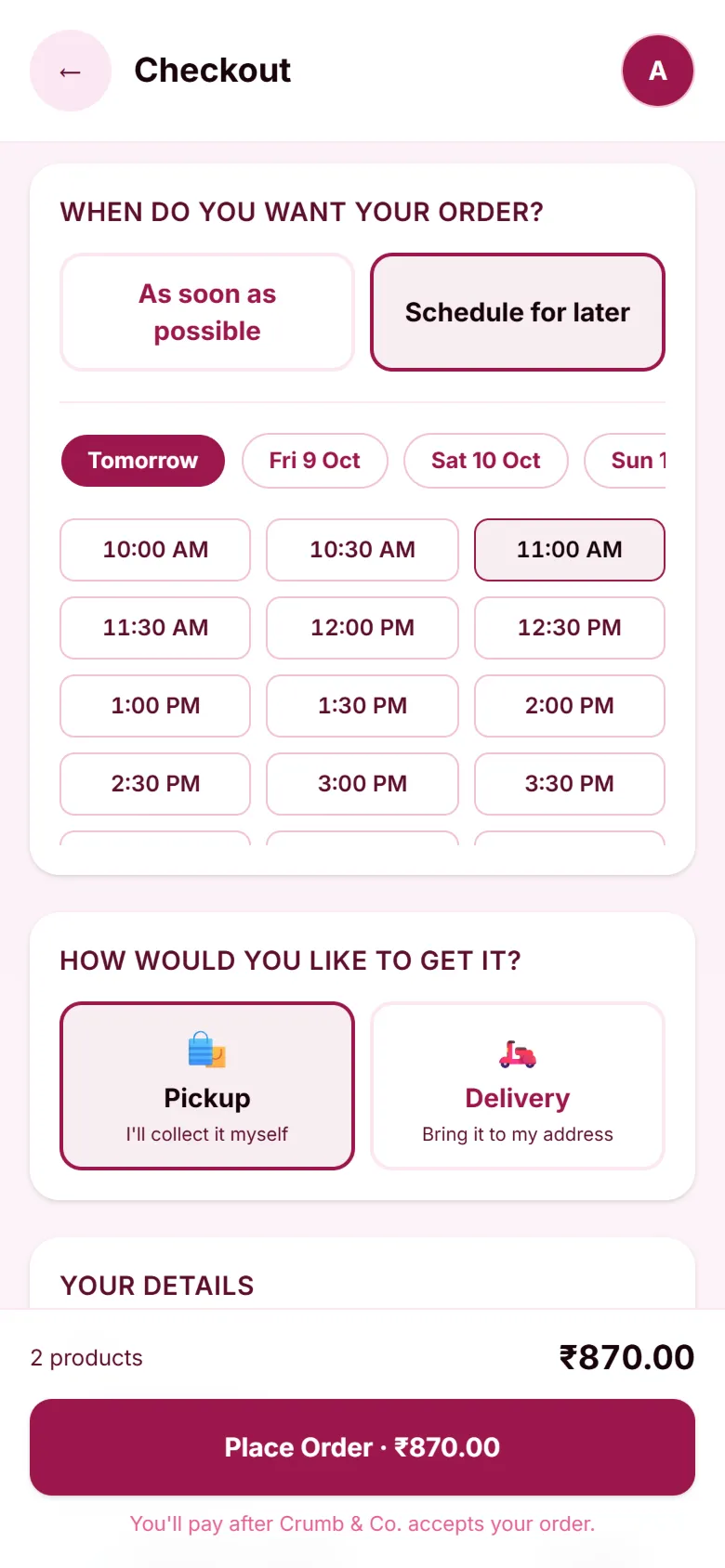
Pre-orders with a time slot
Charcoal and up
Customers pick a pickup or delivery slot from your opening hours, and can order ahead even while you are closed.
Learn morePrice on request and quotes
Charcoal and up · Bakeries, shops, home brands and services
Mark custom work price on request. The enquiry lands on your board, you send a quote, and the customer accepts it in one tap.
Customer subscriptions
Charcoal and up
Standing orders for the daily tiffin, the weekly box or a regular visit. Each one lands on your board on schedule.
Trade buyers at their own prices
Gas and up
Dealers, retailers and business clients sign in on your store and order at the prices you set for them, which the public never sees. Price lists, credit terms, statements and GST tax invoices.
Learn more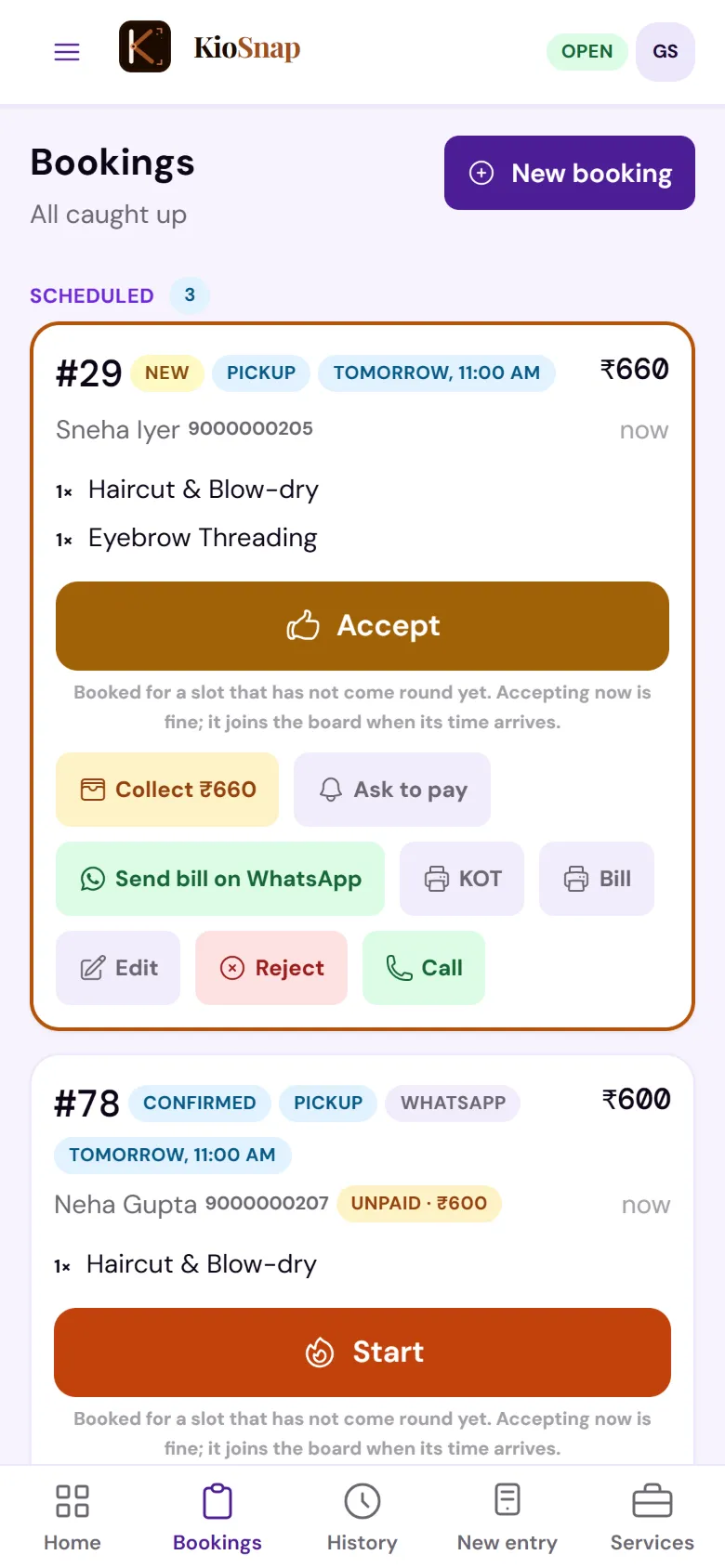
Bookings
Charcoal and up · Services
A customer picks a service and a time slot, and the booking moves from new to confirmed, in progress and completed.
Learn moreUPI to your own QR
Charcoal and up
Customers pay your own UPI QR from their order page and tap I've paid; you confirm. KioSnap never touches the money.
Learn more
Run
The kitchen, the money, stock and what you make.
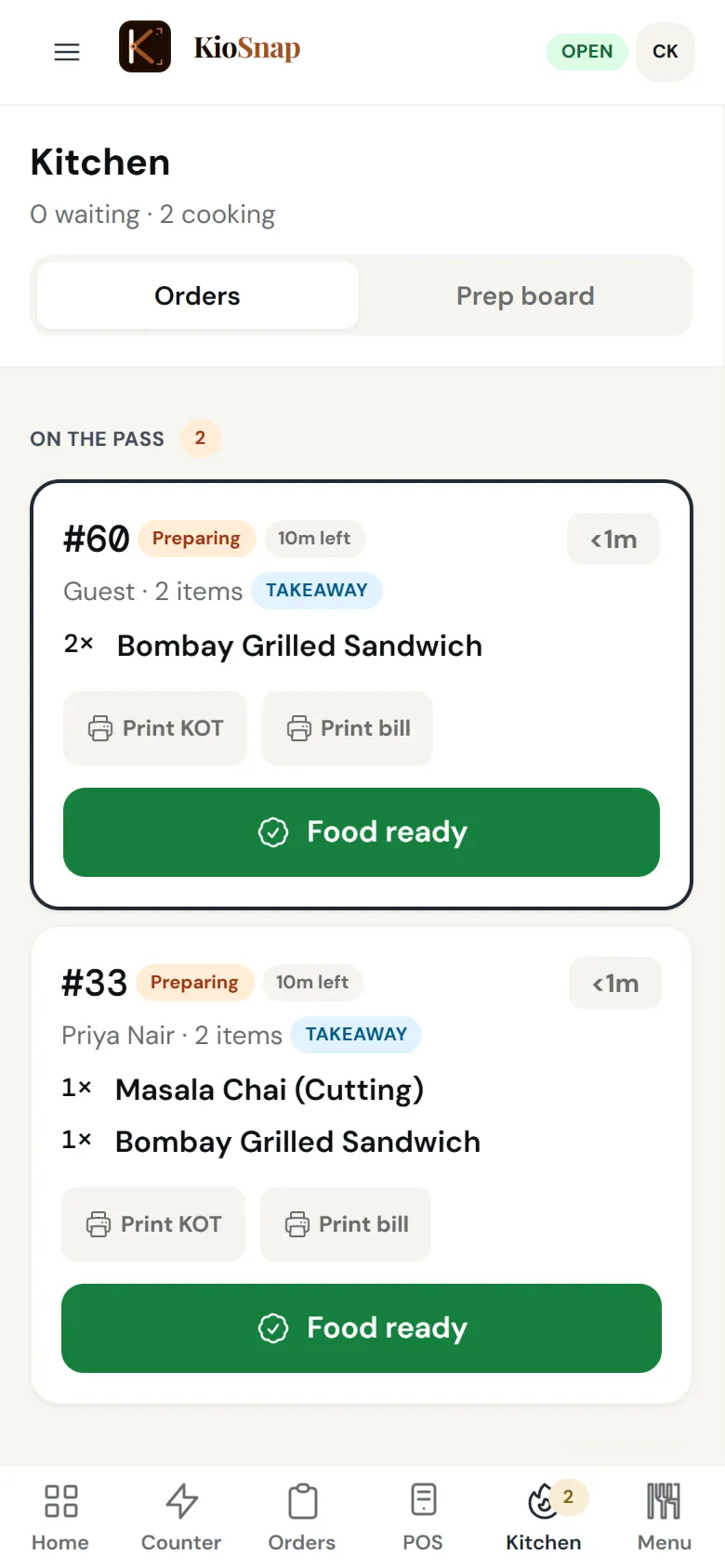
Kitchen screen
Charcoal and up · food
Accepted orders show on the kitchen screen by station, with a countdown so nothing waits too long, and one tap for Food ready.
Learn more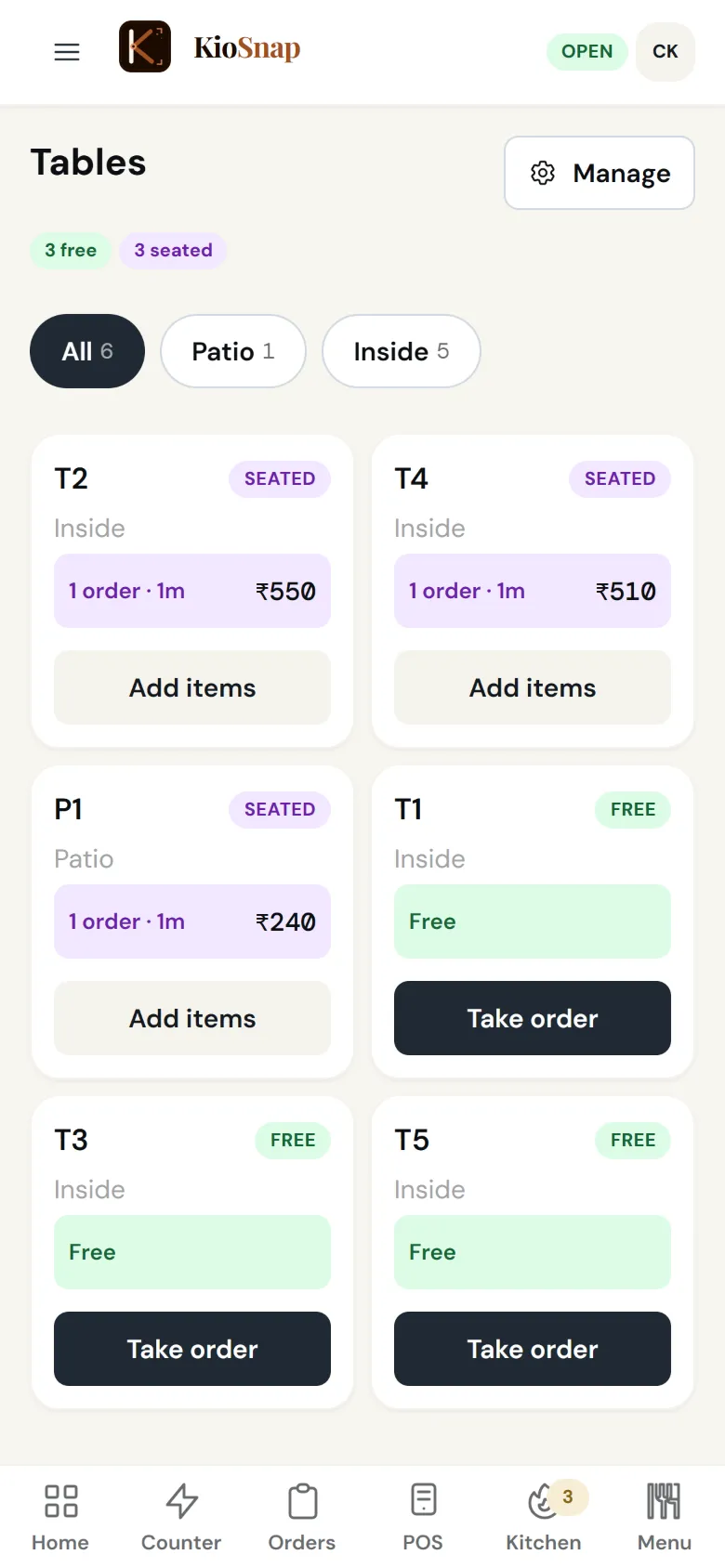
Tables and table QR
Gas and up · food
A QR on every table, several bills per table, a button to call for water or the bill, and a captain role that sends rounds from the table.
Learn more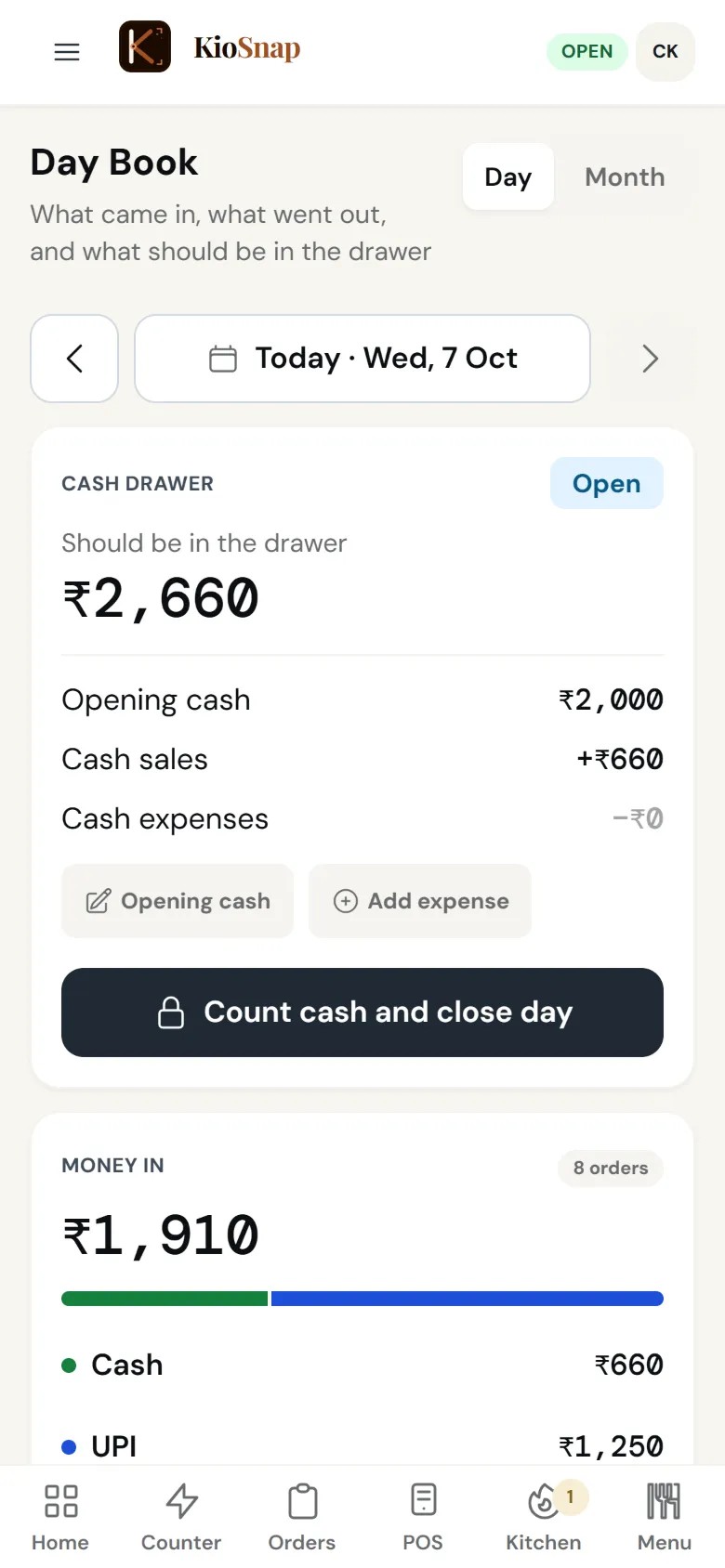
Day book
Charcoal and up · food
Opening cash, money in by cash and UPI, cash paid out, and the day closed against the count in the drawer.
Learn more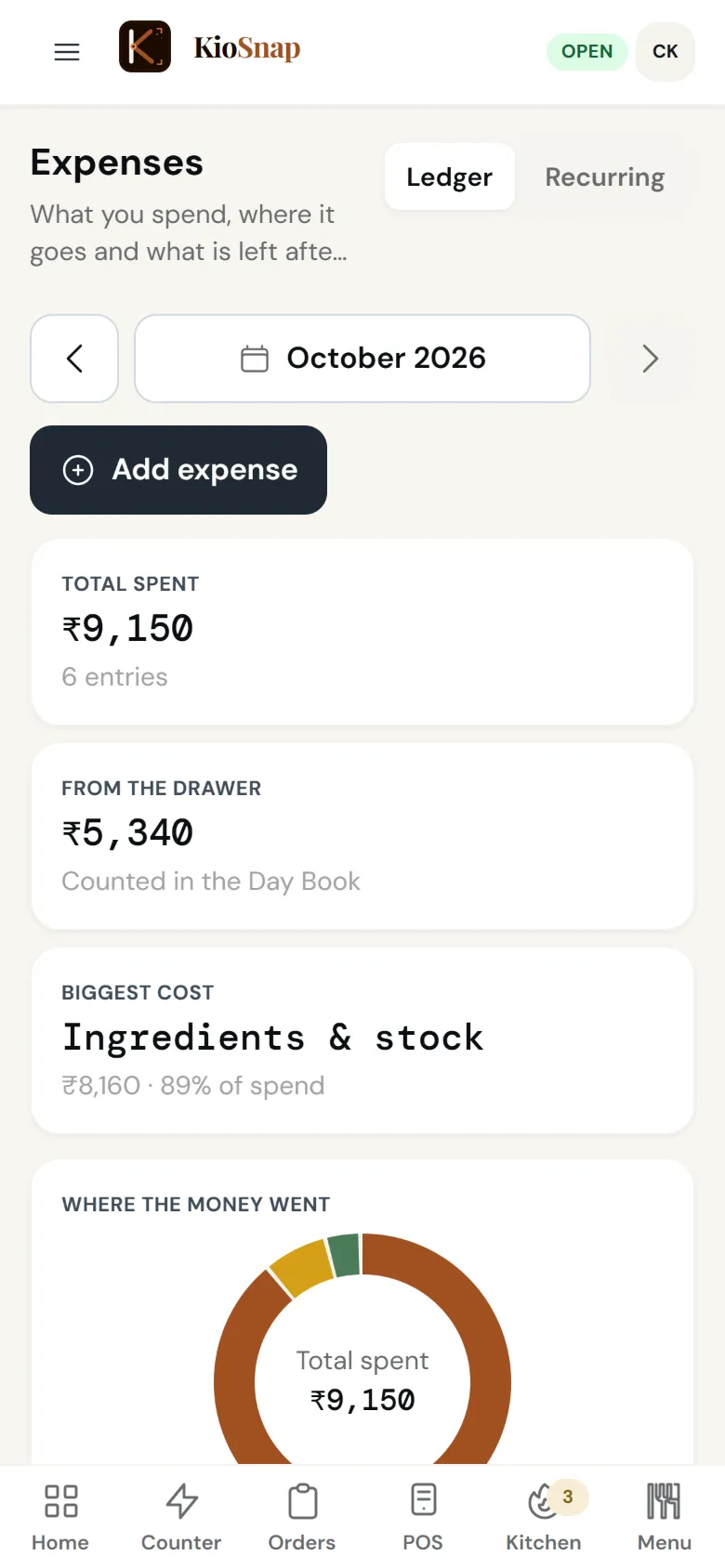
Expenses and profit
Every plan
Log expenses as they happen, set bills that repeat every week or month, and see profit next to sales.
Learn more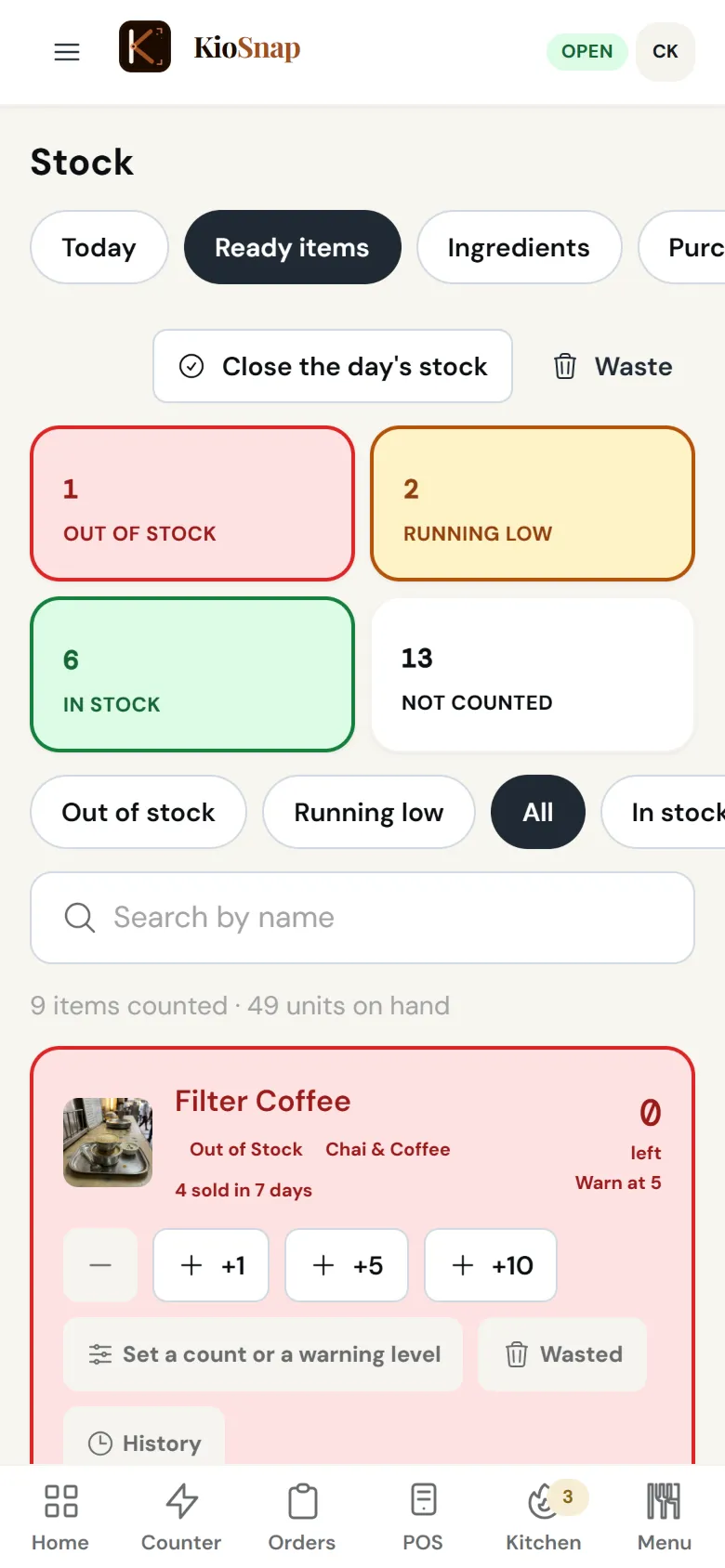
Stock
Every plan
Count what you have, and each sale comes off the count. Running-low alerts and a full history for every item.
Learn more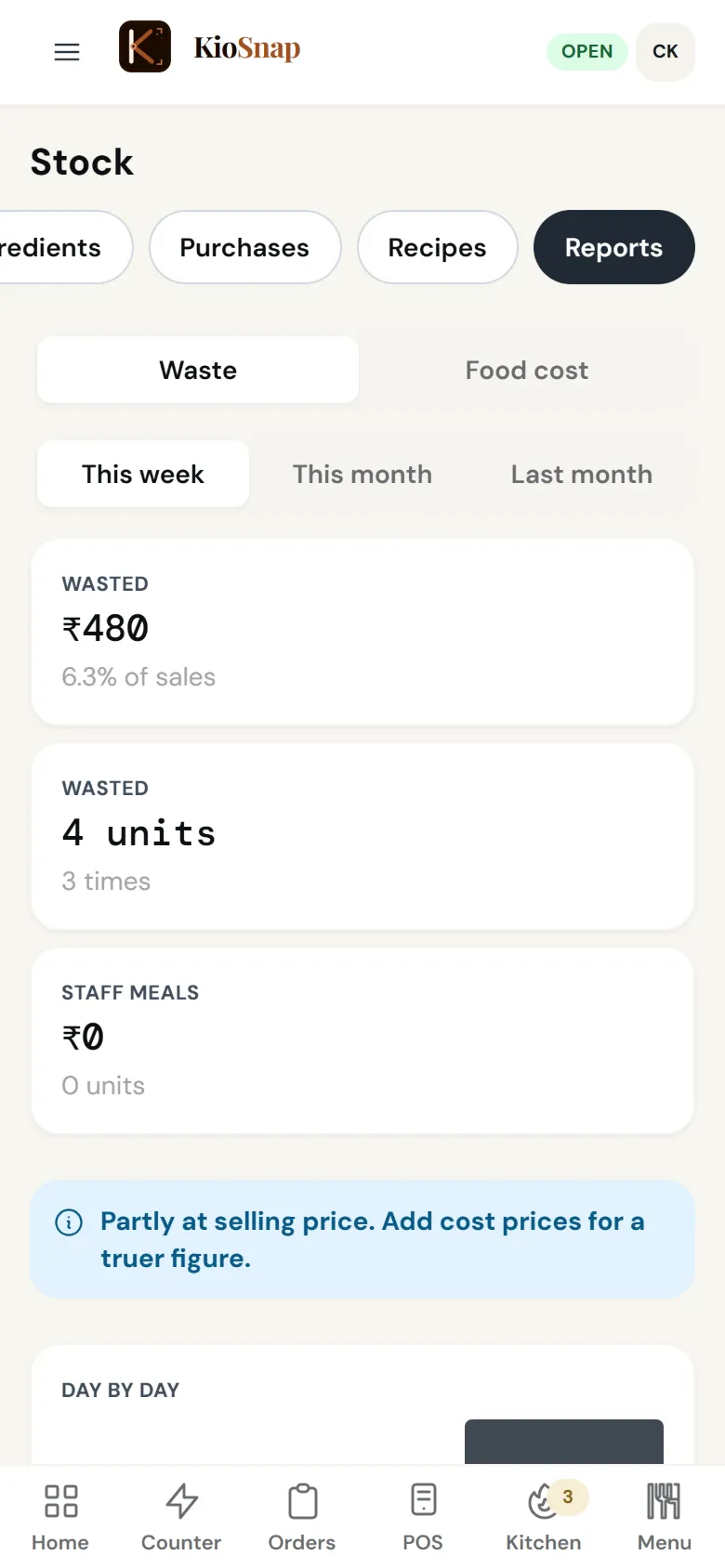
Waste and the day's leftovers
Every plan
Log waste with a reason, keep the leftovers sheet at closing, and see waste in units and rupees by week or month.
Learn more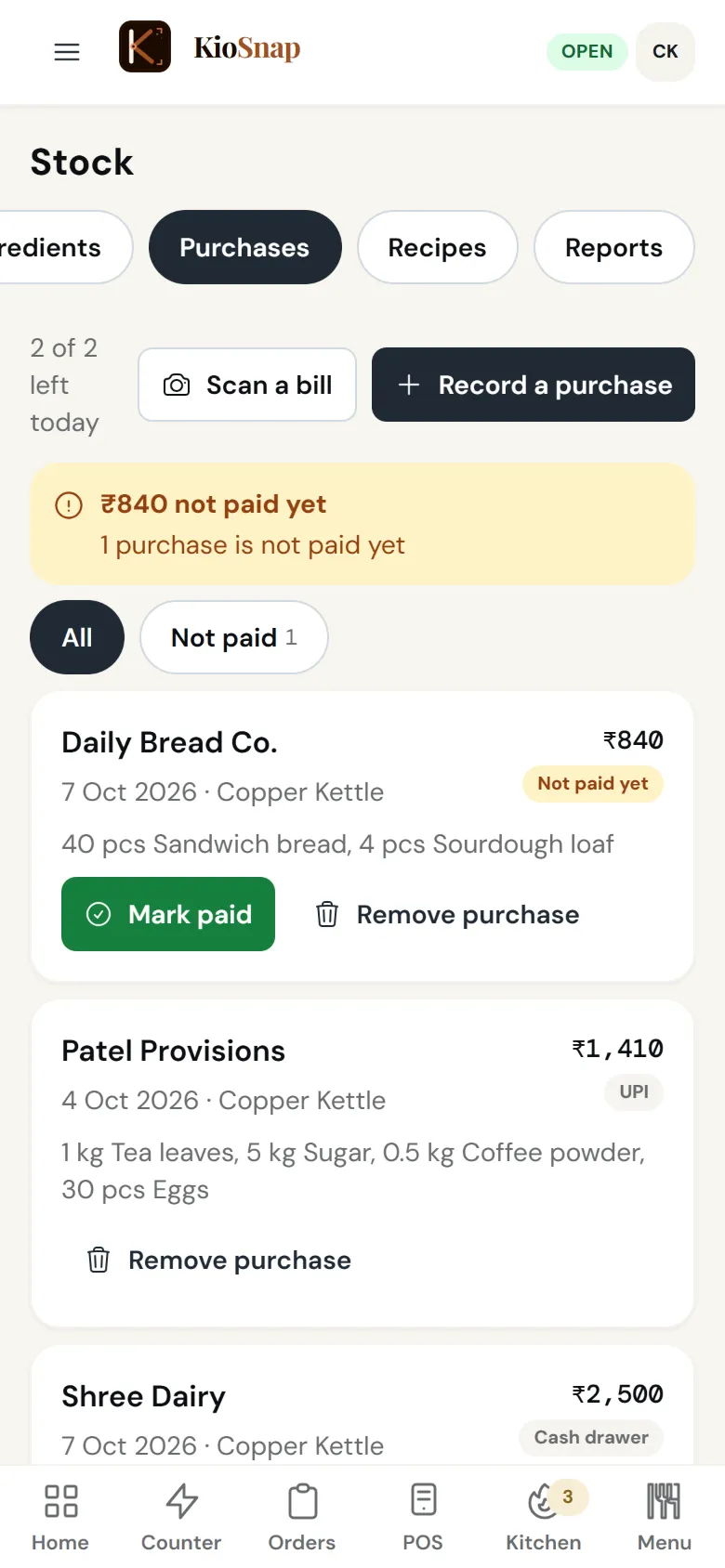
Raw materials and purchases
Charcoal and up
Raw materials, suppliers and purchases, paid now or on credit. Scan a supplier's bill and the AI drafts the purchase, 1, 2 or 4 a day by plan.
Learn more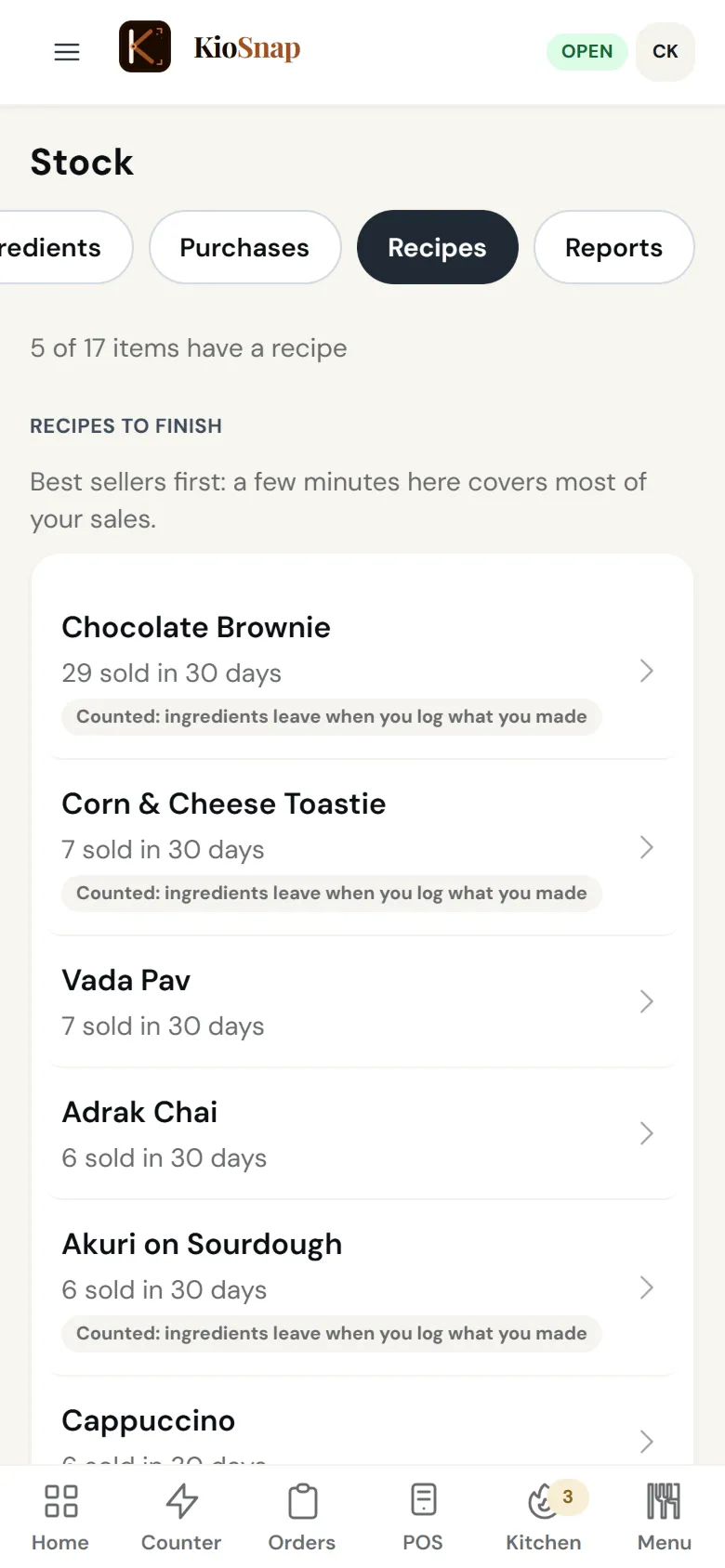
Recipes and food cost
Gas and up
A recipe for each item, size or add-on. Sales use up ingredients, so you see the cost of every item and what went missing after a count.
Learn moreMake this many, and reorder
Charcoal and up
A suggested quantity to make from what sold before (Gas and up), and a list of what is running low that you can send to your supplier on WhatsApp.
Learn more
Know
Your numbers, your customers and what they say.
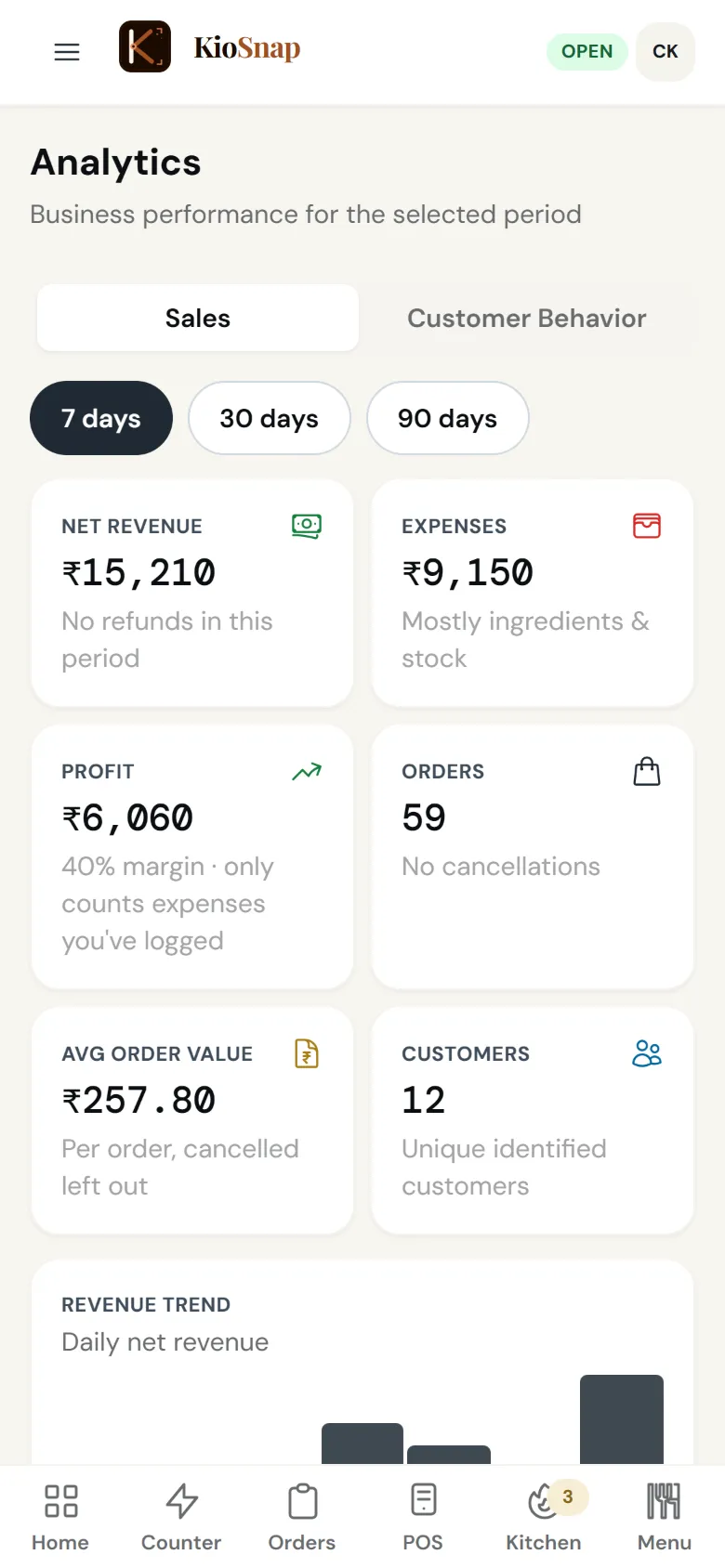
Sales analytics
Charcoal and up
Revenue, profit, average order value, best sellers, peak hours and sales by staff, for 7, 30 or 90 days.
Learn moreStorefront visits
Every plan
How many people opened your storefront, what they searched for, and where they stopped.
Learn more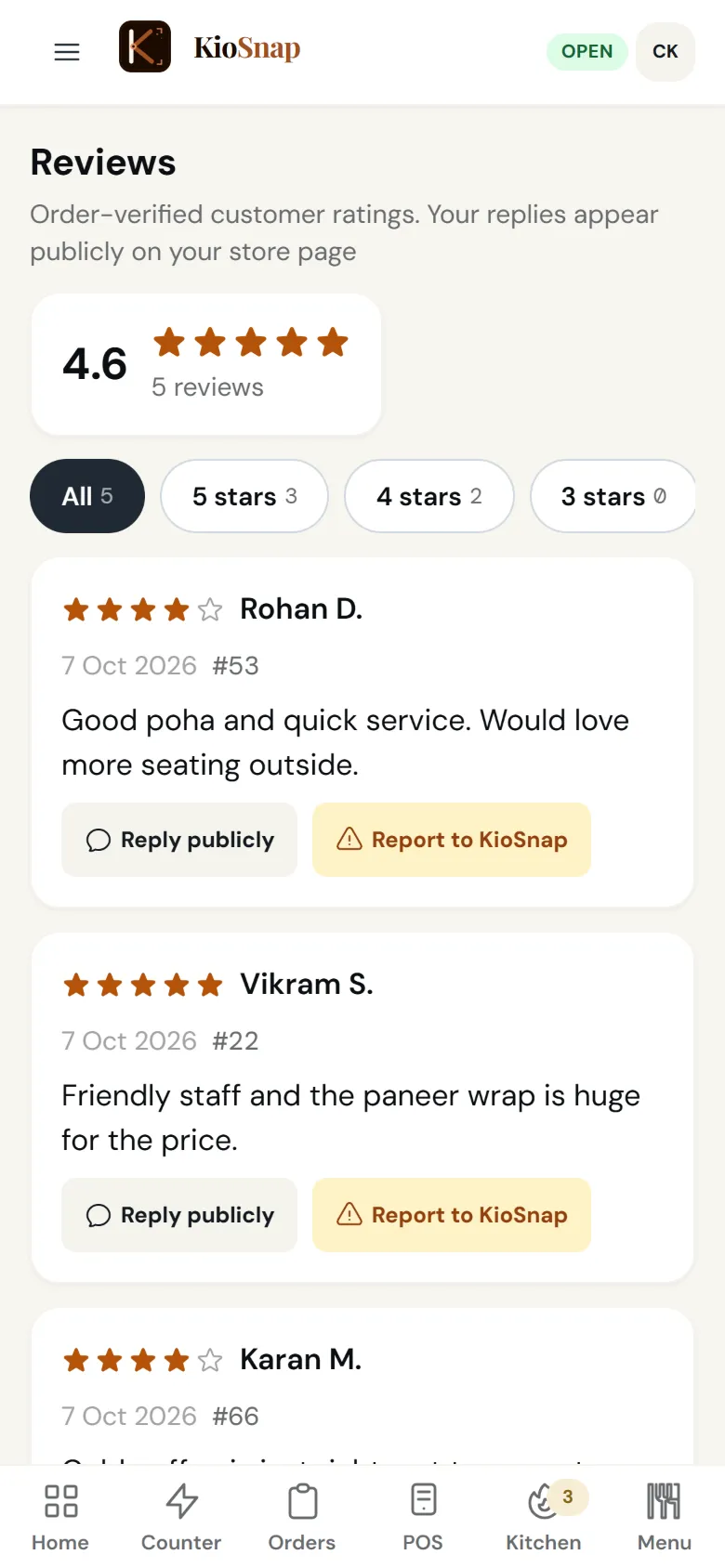
Reviews from real orders
Charcoal and up
Customers review after an order, with photos. You can report a review but never hide one, so customers trust them.
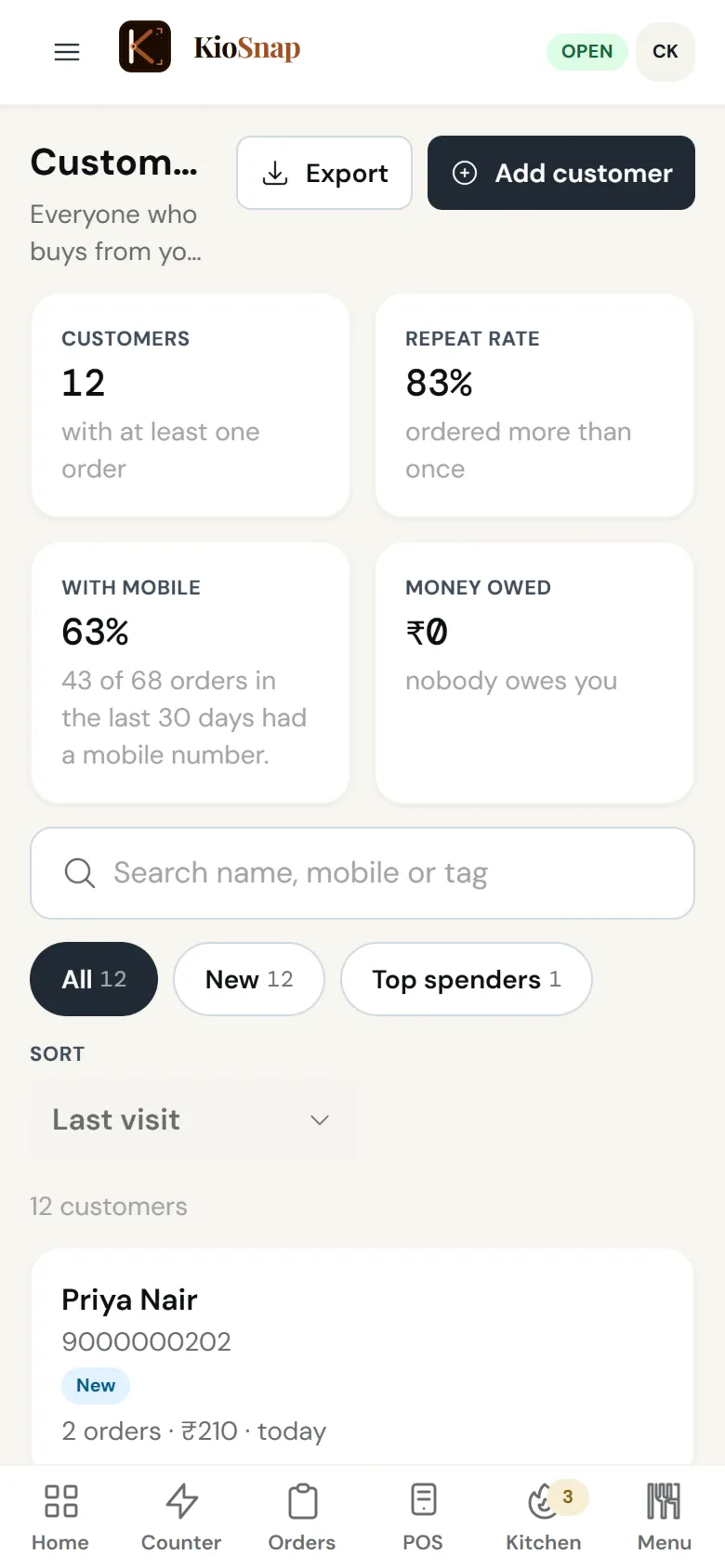
Customers
Charcoal and up
Every customer's orders, spend and what they owe, groups like regulars and gone quiet, and WhatsApp to one customer from your own phone.
Learn more
Grow
Bigger bills, getting found, and your team.
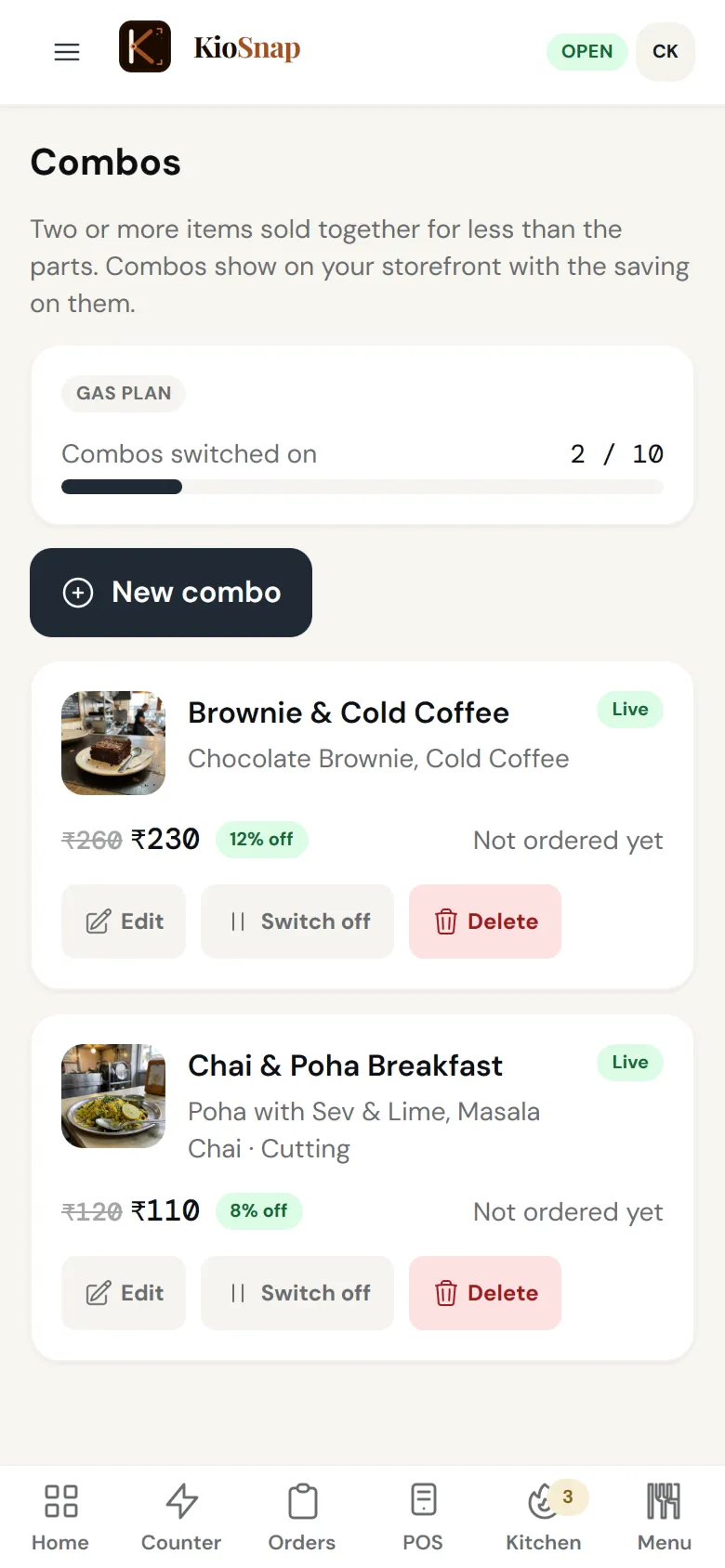
Combos and offers
Charcoal and up
Combos, flat or percent off, buy one get one, first-order offers and offer codes, one offer per order. Combos are not for services.
Learn more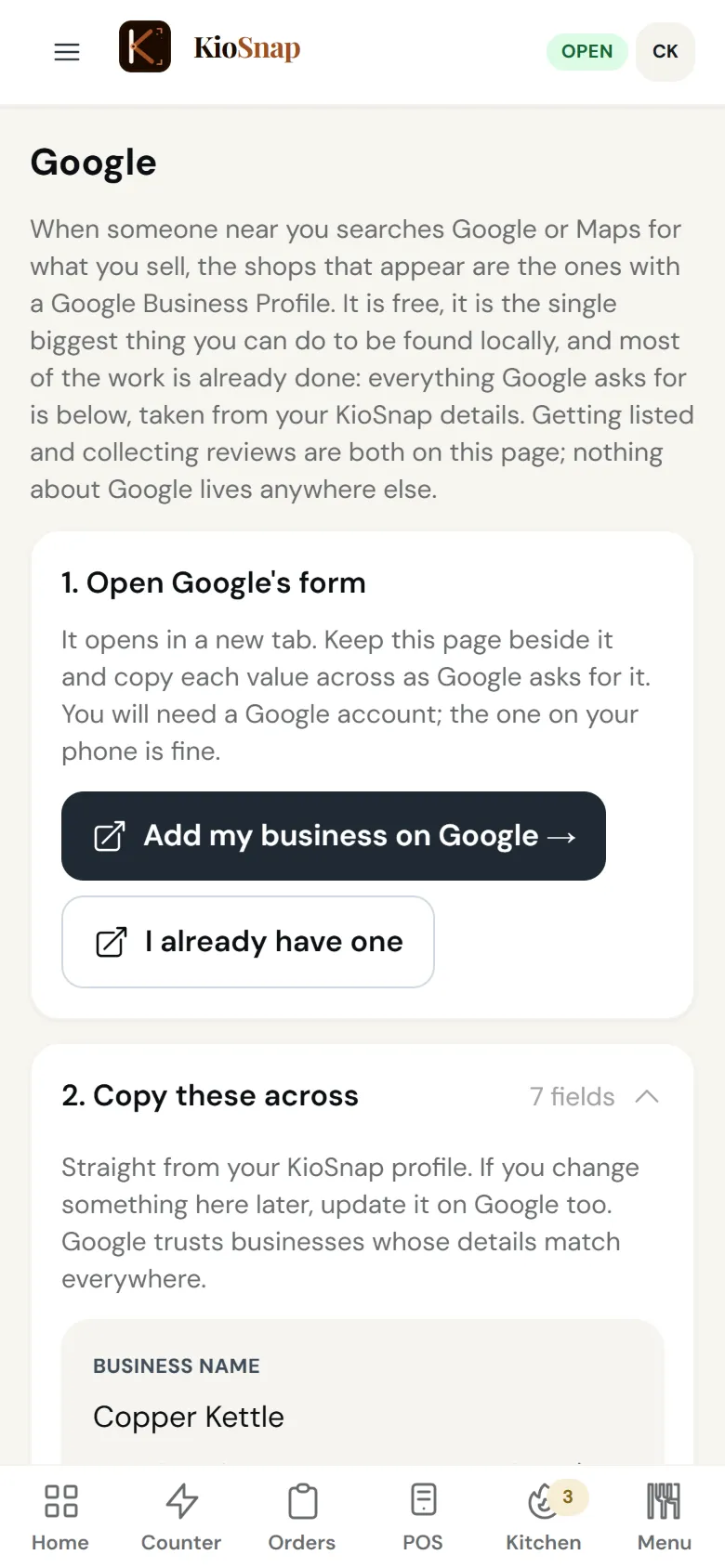
Google Business Profile
Every plan
A guided setup for your Google listing with your store's details, plus a review link and a review QR to print.
Learn moreListed on kiosnap.store
Every plan
Your store shows on kiosnap.store by city, area and category, where customers look for local shops.
Read the guideYour brand
Every plan
Your logo, banner, colours, story and gallery, on a storefront look made for your kind of business.
Read the guide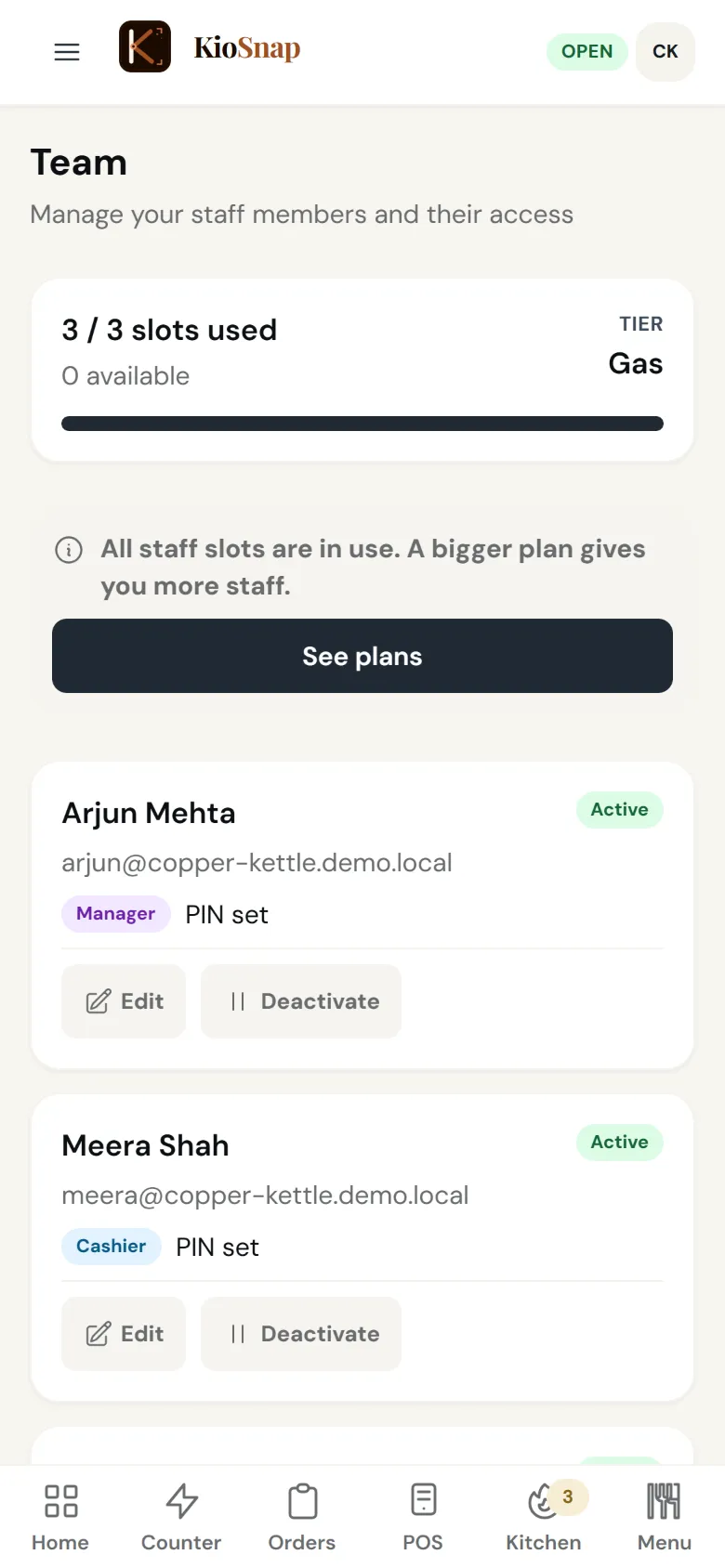
Team
Charcoal and up
Staff logins with their own role and PIN, quick switching on a shared phone, and every sale shows who made it. 2, 3 or 5 staff by plan.
Learn moreKioSnap Vendor app
Every plan
The same screens on Android, an order alarm that rings on a locked screen, and billing that keeps working without internet.
Learn more
In your language
Every plan
Your dashboard and the KioSnap Vendor app in English, Hindi and Gujarati.
Learn more
Your idea here
Don't see what your business needs?
Ask for it. KioSnap is built with its vendors: if your suggestion is practical to build and useful for businesses like yours, we build it into the product at no extra charge.
FAQ
Product questions, answered
Which plans include taking orders?
Taking orders, the order board, customers and your team start on Charcoal at ₹299 a month, and food businesses get the POS, the kitchen screen and the day book with it. The free Wood plan shows your catalog and QR, without ordering.
Which plans include dine-in tables?
Tables, table QR ordering and the captain role are on Gas and Solar, for food businesses. Guests scan the table's QR, order across the visit, and you settle one or several bills for the table.
How many AI scans do I get?
3 menu scans a month on every paid plan and the 14-day trial, and 1, 2 or 4 supplier bill scans a day on Charcoal, Gas and Solar. You check every draft before it goes live.
How many staff logins does each plan include?
Charcoal includes 2, Gas 3 and Solar 5, each with their own role and PIN.
Can my customers pay online?
Customers pay you directly: cash, cash on delivery, or UPI to your own QR from their order page, then they tap I've paid and you confirm. There is no payment gateway, and KioSnap never holds your money.
Does the kitchen screen or the self-order screen need special hardware?
No. Both run in the browser on any tablet or phone you already own. Put a spare tablet in the kitchen or at the counter and it becomes that screen.
More questions? Read the full FAQ →
See it on your own business.
Start free and add your items, or WhatsApp us your menu and we set it up for you.