
Team
Run your team: their own login, their own job.
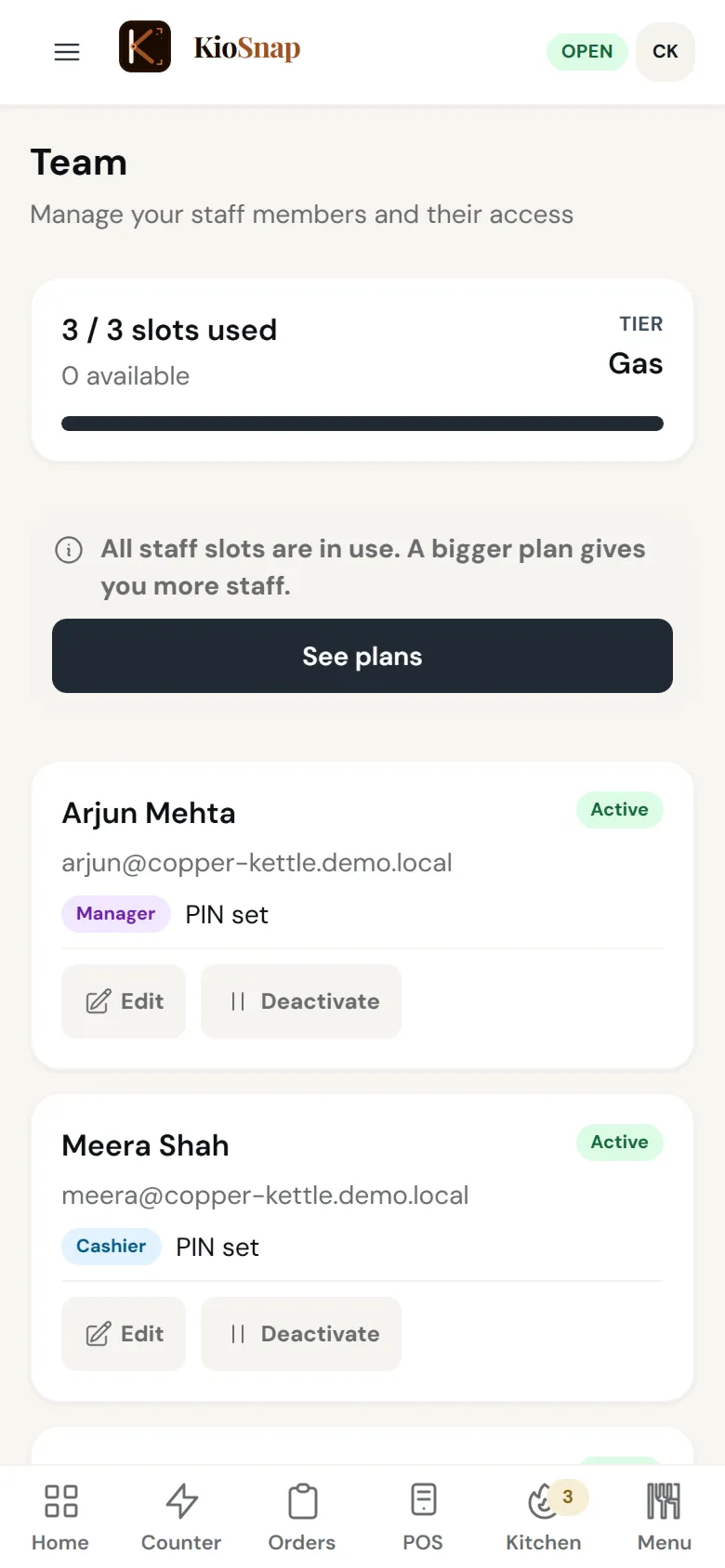
KioSnap gives each staff member their own login and PIN, with a role that shows them only their job: cashier, kitchen, captain or manager. Staff switch on a shared phone with their PIN, and every sale shows who made it. Charcoal includes 2 staff, Gas 3 and Solar 5, after a 14-day free trial.
Updated 7 Oct 2026
How it works
- 1
Add your staff
Give each person a role and a PIN.
- 2
Share one phone
Staff switch to their own login with their PIN.
- 3
See who did what
Every sale and order shows who handled it.
Who it's for
- Café or restaurant
- Bakery or home kitchen
- Salon or service
- Shop or home brand
- Makers and more
What it costs
Starts on Charcoal at ₹299 a month, after a 14-day free trial, with ₹199 once on your first paid month. No commission on any order.
See every planSet it up, step by step
Add staff & switch users with a PIN
Give each team member their own login and role, plus a 4-digit PIN for quick switching on a shared counter device.
Read the guideAvailable on Charcoal and aboveMatch KioSnap to your team size
Solo, counter + kitchen, or full team: pick a staffing mode and KioSnap adjusts how many taps each order needs.
Read the guideAvailable on Charcoal and above
Team
Quick answers before you start
Staff ke liye alag login kaise de?
Add each staff member in Team with a role and a PIN; they sign in on any phone or switch on a shared one.
How many staff can I add?
2 on Charcoal, 3 on Gas and 5 on Solar.
Can I hide money from my staff?
Yes. Each role sees only what its job needs.
Does it track attendance or pay salaries?
No. KioSnap handles roles and who sold what, not attendance or payroll.
What is a captain?
In restaurants on Gas and up, a captain sends orders from the table and does not handle money.
More questions? Read the full FAQ →
Try it on your own business.
Start free and set it up yourself, or WhatsApp us and we set it up with you.