Diwali Hamper Business from Home: A 6-Week Plan
8 min read
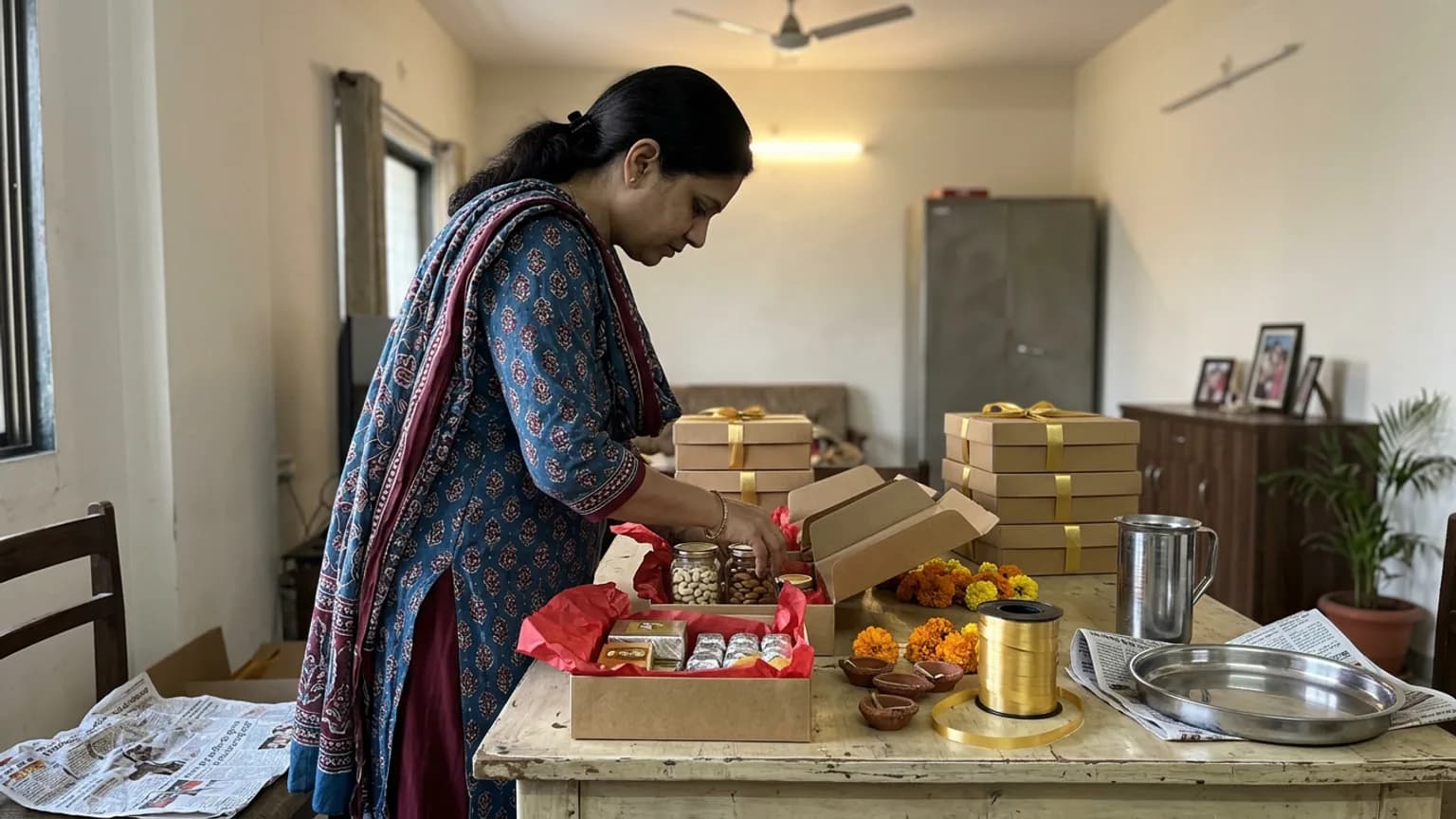
A Diwali hamper business from home can earn more in three weeks than some months earn in total, and it can also bury you. The photos go up, the messages arrive together, and by the second week you are pricing hampers in DMs at midnight and unsure who paid for what. Diwali 2026 falls on Sunday 8 November, so the time to fix that is now, not the week before.
This is a six-week plan for a home brand selling sweets, snacks, masalas, candles or curated gift boxes. Most of it is about planning, pricing and cut-off dates, and works with any tool. One section shows how to take the orders on a storefront instead of in chat.
Week 1: decide what you sell, in three or four tiers
The mistake that costs most is a hamper for every customer's whim. Every custom hamper is a new price to work out, a new shopping list and a new chance to pack it wrong. Pick three or four fixed hampers, build each from the same components, and you can prepare in batches.
| Tier | Who buys it | What to remember |
|---|---|---|
| Small box | Neighbours, colleagues, a quick thank-you | Your entry price. Make it easy to say yes to, and easy to add to a bigger order. |
| Family hamper | Relatives and friends across town | Your best seller. Put the most photos and the clearest contents here. |
| Premium box | Bosses, clients, in-laws | Better packaging matters more than more items. Keep the count small. |
| Bulk or corporate | Offices ordering 20, 50 or more | Priced on request, with a fixed last date for orders. |
Write down the cost of every component, the packaging and your time before you set a price. If a tier does not leave you a margin you are happy with after that, drop it. Festival demand hides bad pricing until the week you are too busy to fix it.
Week 2: shoot photos and write clear contents
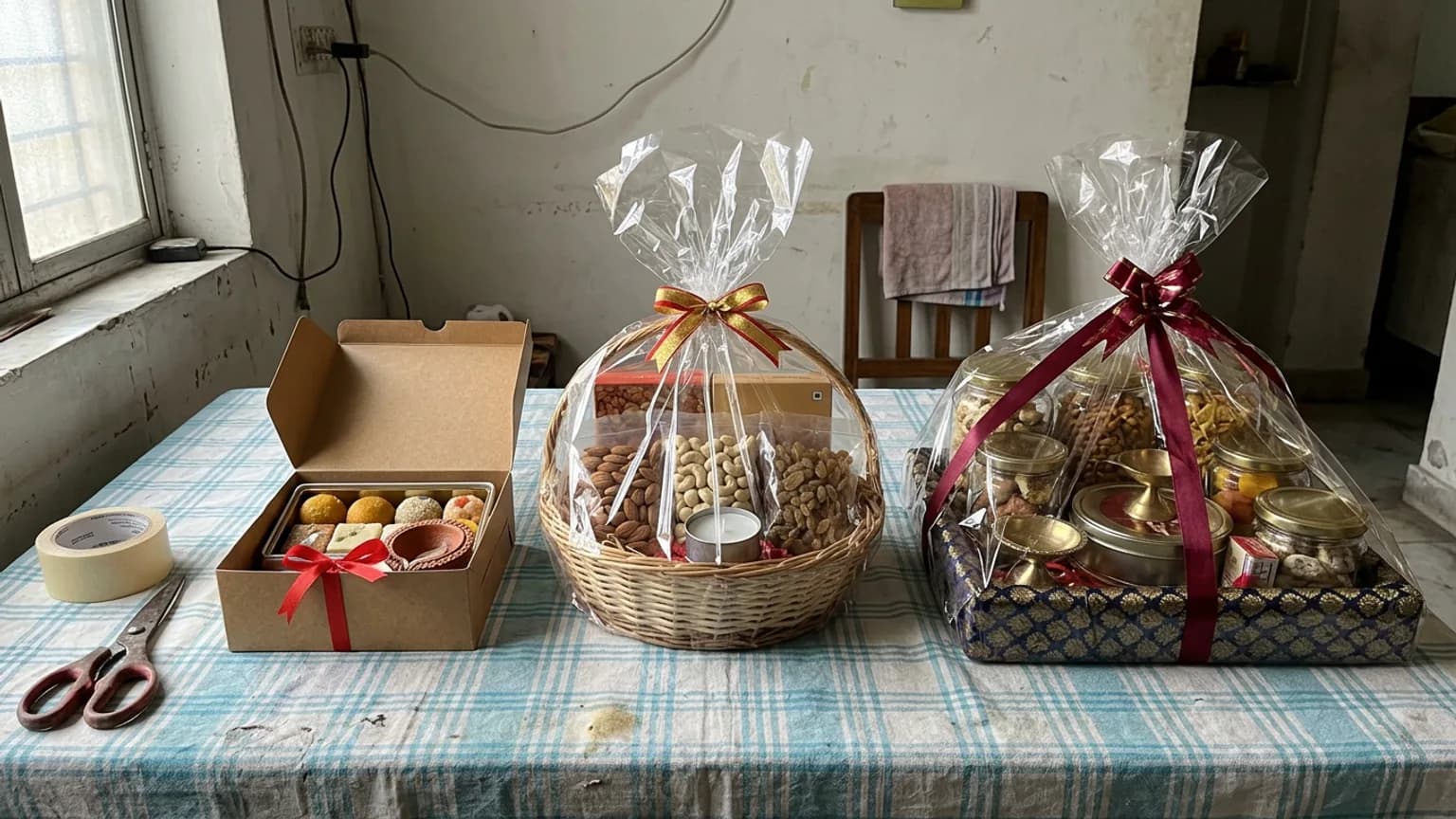
People buy hampers by looking, and they compare them by contents. For every tier, take one photo of the closed box, one of it open and one close-up of the best item. Then list exactly what is inside, with weights, so nobody has to ask.
- Shoot in daylight near a window, on a plain surface. It costs nothing and looks better than a busy background.
- Name each hamper by the buyer, such as "Family Diwali hamper", not by the sweets in it.
- Say what is fresh and what keeps. Customers plan gifting dates around that.
- Show the packaging. A hamper that arrives in the box in your photo earns repeat orders.
Week 3: set your cut-off dates before customers ask
Festival orders go wrong on dates. Decide three of them now and print them everywhere: the last day for bulk orders, the last day for out-of-town delivery and the last day for local delivery or pickup. Working back from 8 November, the bulk cut-off comes well before the local one, because bulk orders take your longest days.
Then decide how you will deliver and what it costs. A flat charge, free delivery above a certain order value and a minimum order for far areas are all fair, as long as they are written down before the first customer asks.
Week 4: put the order in one place, not in chat
Chat is fine for discovery and terrible for orders. An order is a list of facts: which hamper, how many, for which date, delivered where, paid or not. When those sit in a chat thread mixed with "ok 👍" and voice notes, a festival week will lose you one.
Here is how it works on KioSnap, a storefront built for India's small home brands. Customers open your link or scan your QR code on their phone, with no app to install for them, and every order lands on your dashboard.
Build the catalog
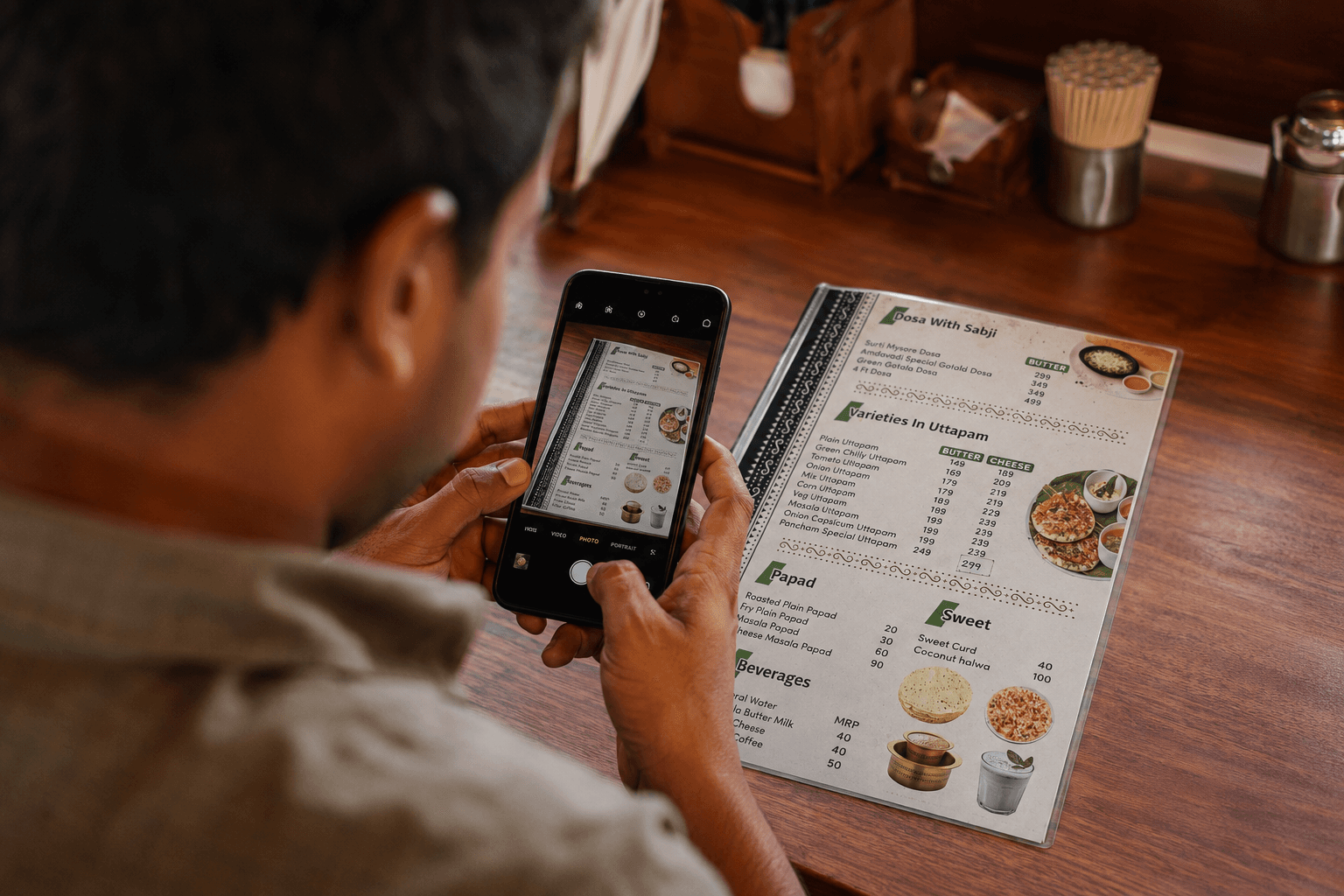
Type your hampers in, or photograph your printed price list and let the AI read the items and prices for you to check. See scan your menu with AI.
Add sizes and photos
Give each hamper its sizes, each with its own price, and up to ten photos or a video. See sell in sizes with variants and add item photos and videos.
Bundle for gifting
A hamper plus a box of sweets as one deal is easier to buy than two items. See create combo offers.
Set delivery and slots
Choose delivery or pickup, add your flat charge, free-above amount and minimum order, and turn on advance orders so customers book a date slot with the notice you need.
Share the link and QR
Pin the link in your Instagram bio, set it as your WhatsApp Business link and print the QR on your boxes. See share your store QR.
Customers pay you directly, by cash on delivery, pay on pickup or UPI you collect yourself. KioSnap does not process payments and takes no commission on your sales.
What about custom and corporate orders?
List a bulk hamper with its price on request. The customer sends an enquiry with the quantity and a note, you reply with a quote, and it becomes an order only when they accept. The whole exchange sits on your order board instead of in a chat. This needs an order-taking plan, which starts at Charcoal.
Weeks 5 and 6: run the rush and watch the numbers
By now you should be packing, not answering. Keep your days simple: one batch for each tier, one delivery run per day and one daily check of what is coming due. If you use a storefront, the orders board shows what is due and when, so tomorrow's packing list is a glance, not an evening of scrolling.
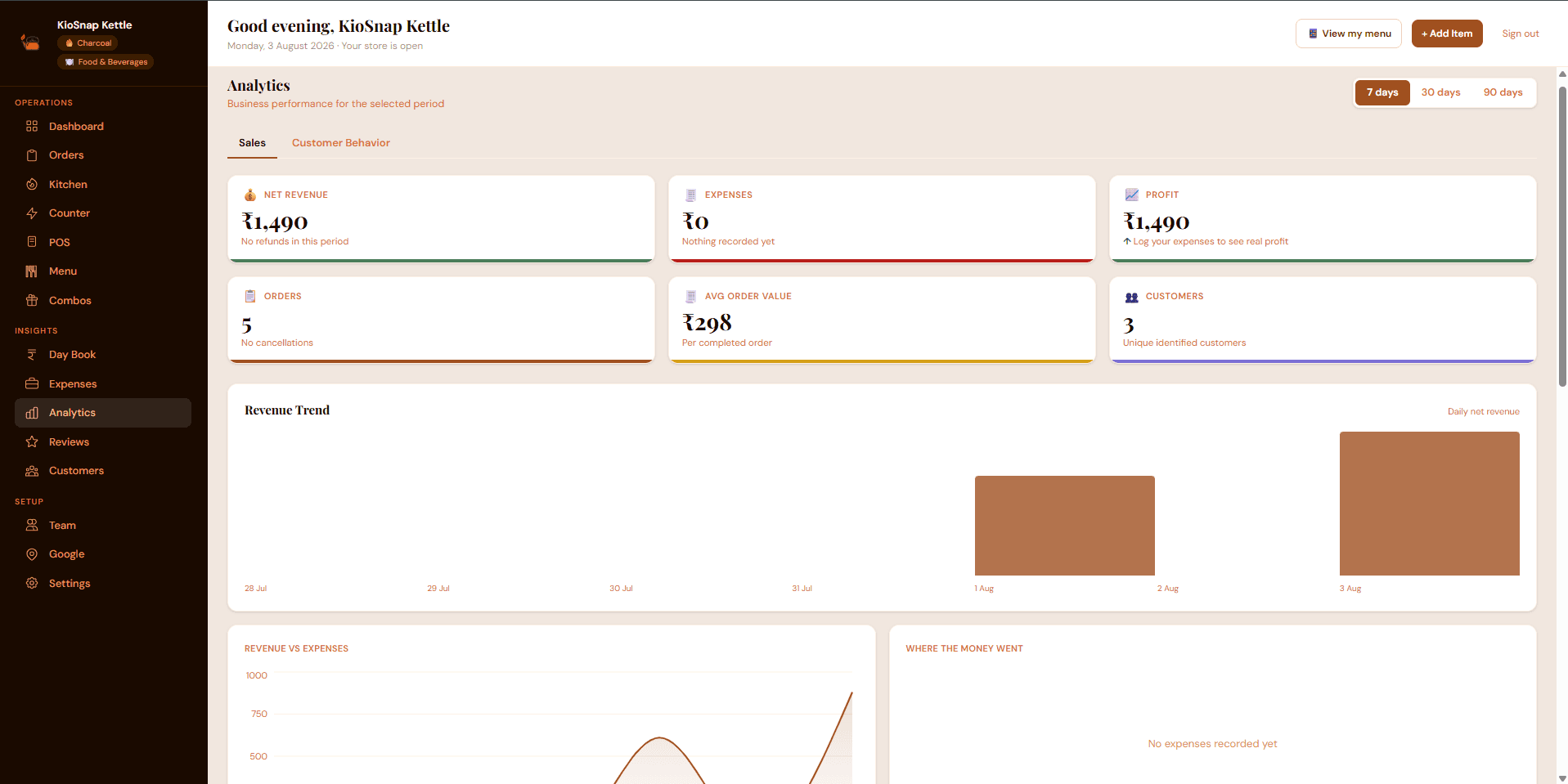
- Track what each tier really earned, after packaging and delivery, so next Diwali you cut the weak tier and push the strong one.
- Note the busiest days and the questions you kept answering. Those become your cut-offs and your FAQ next year.
- Save your customer list. People who bought once for Diwali are your first audience for the wedding season that opens on 20 November, and for next year.
What it costs, honestly
There are three common ways to take festival orders. Which is right depends on how many you expect and how much of your evening you want back.
| Option | Cost | What you give up |
|---|---|---|
| WhatsApp and DMs only | Free | Time, missed orders and any record of what sold |
| A marketplace or aggregator | Usually a commission on each sale | Part of every order, and your own customer relationship |
| Your own storefront, like KioSnap | ₹0 to start, order-taking from ₹299 a month | Nothing on your sales: zero commission |
- Diwali 2026
- 8 Nov
- to start, on the free plan
- ₹0
- combo deals on Charcoal
- 5
- commission on your sales
- 0%
The free Wood plan puts a three-item catalog on your own link, which is enough to see your storefront live today. Taking orders, with the board, combos and advance-order slots, starts on Charcoal at ₹299 a month after a 14-day free trial and a one-time ₹199 setup. Full details are on the pricing page. If you also bake, our guide to taking cake orders online covers sizes and dates for cakes.
The short version
Sell three or four fixed hampers, shoot clear photos, print your cut-off dates and keep every order in one place. Do that in the next two weeks and the rush of early November becomes a packing job instead of a message job.
Common questions
How early should I start taking Diwali hamper orders?
Open orders about four to six weeks before Diwali, and set your last dates for bulk, out-of-town and local orders on day one. With Diwali on 8 November 2026, that means starting now.
Do my customers need an app to order hampers?
No. Your storefront opens in the browser on any phone from your link or QR code. KioSnap does offer an optional app for you, the vendor, but customers never install anything.
How do I get paid for Diwali hamper orders?
Directly, the way you do today: UPI you collect yourself, cash on delivery or payment at pickup. KioSnap never holds your money and takes no commission on your sales.
Can I take bulk corporate hamper orders?
Yes. List the hamper with its price on request, let the buyer send an enquiry with quantity and a note, and send a quote from your order board. This needs the Charcoal plan or above.
Do I need an FSSAI registration to sell food hampers?
If you sell packed food, FSSAI rules can apply depending on your turnover. Check the current requirements on the official FoSCoS portal or with a local food safety officer, and do it before the festival rush.
Put this into practice today
Create your free storefront in minutes. No app for your customers, zero commission on your sales.